
Şarj Rehberimon every screen you use
Plan on your phone, drive with it in the car, compare at your desk. The same app on iPhone, iPad, Android phones and tablets, Macs with Apple silicon and CarPlay. Free; no account, no ads.
Available
- iPhone
- Android
- iPad
- Android Tablet
- Mac
- CarPlay
- Apple Watch
Coming soon
- Android Auto
- Wear OS
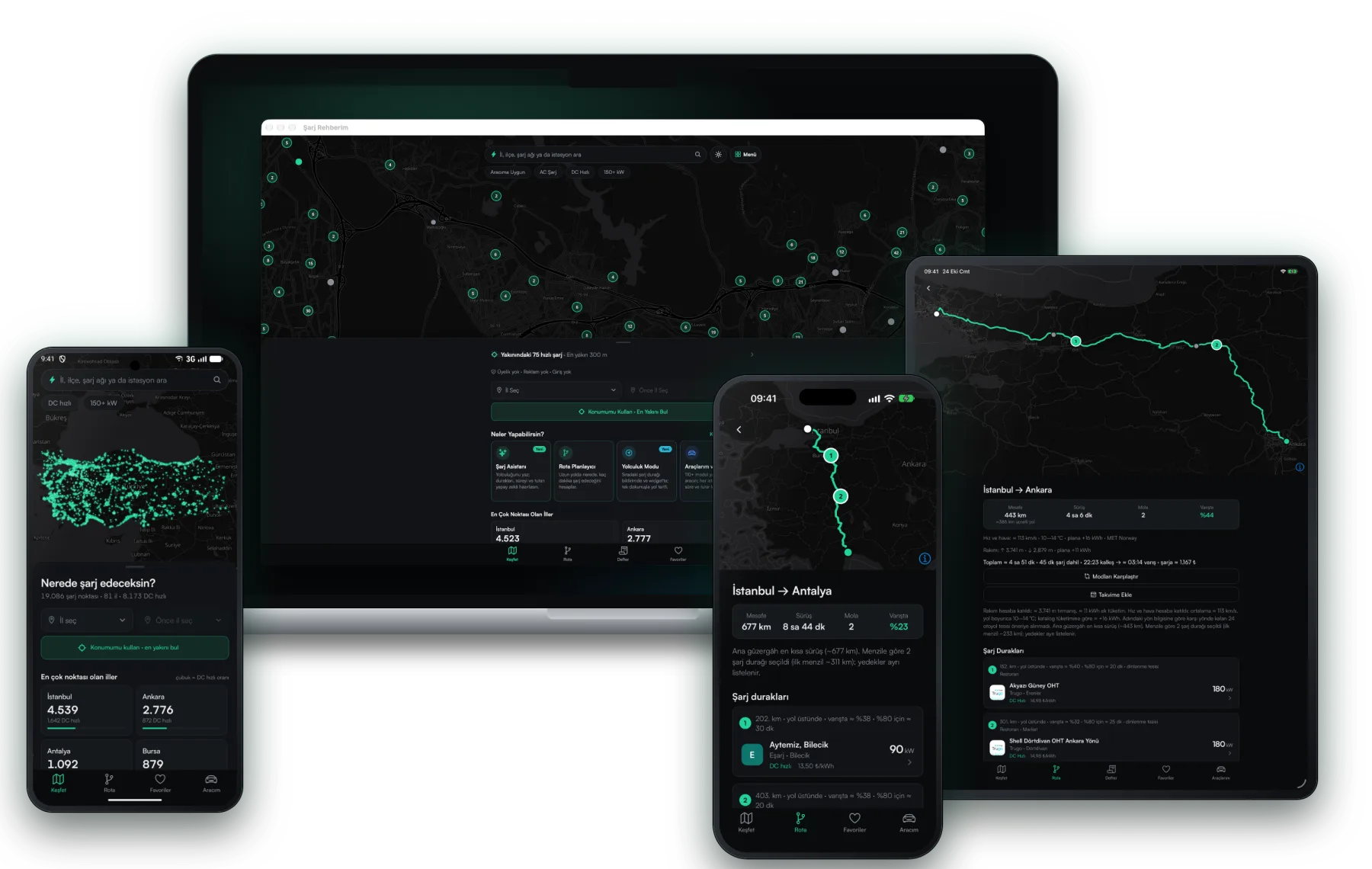
One app, every screen
The layout grows with the screen: one-handed on the phone, a full-width map on tablet and Mac, big and simple in the car.
Now on Apple Watch, soon on Wear OS
The nearest fast charger is now a flick of the wrist away. See distance, power and price without taking out your phone; tap and directions start.
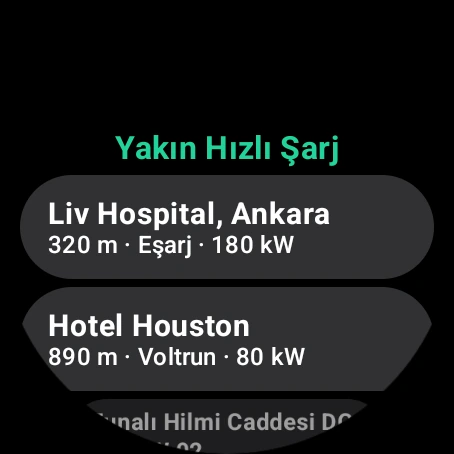
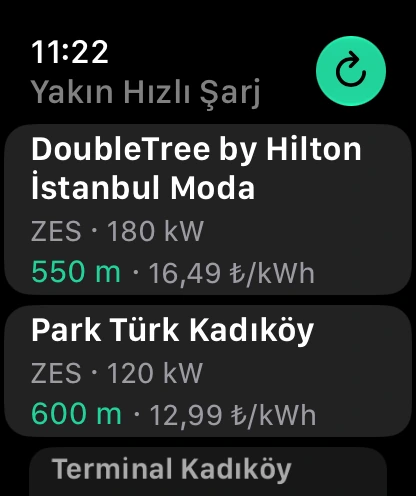
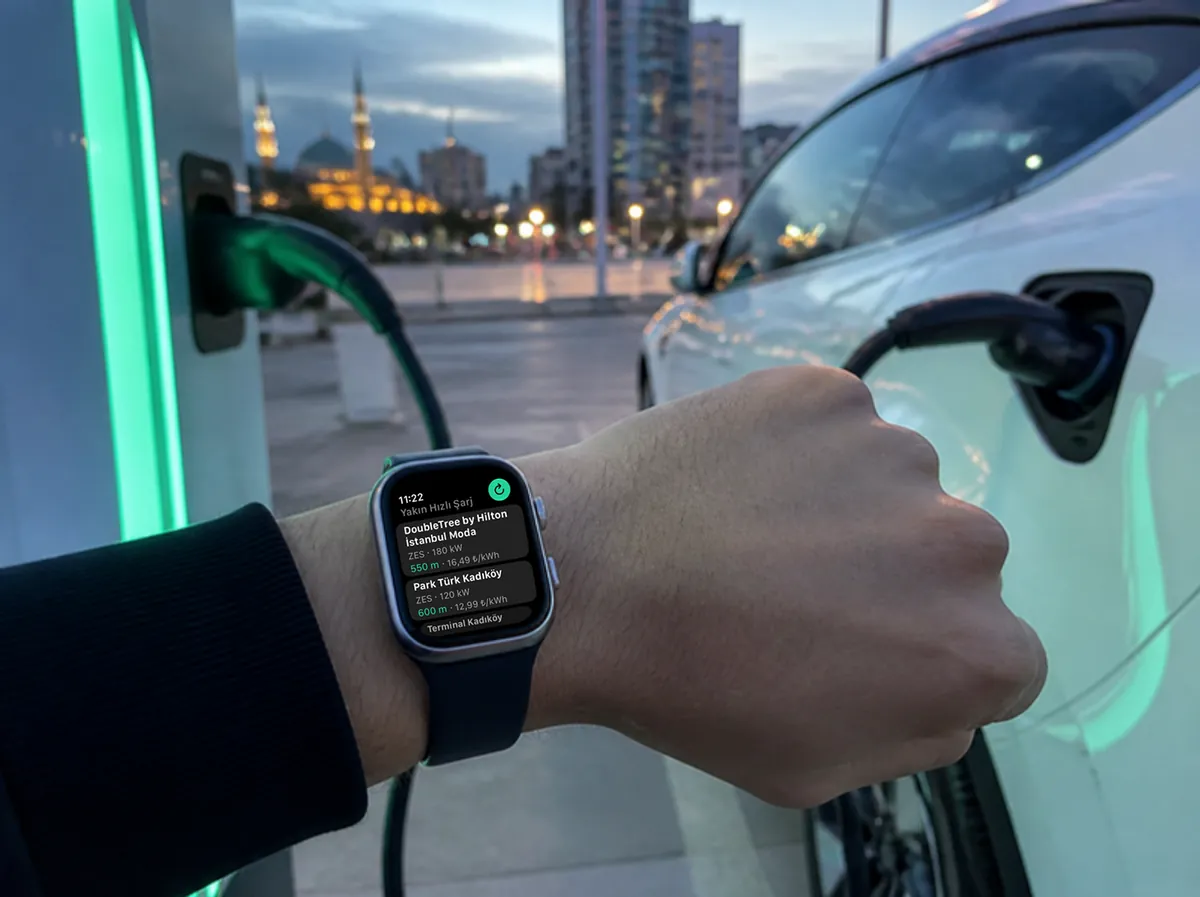
Glance at your wrist while you plug in: the nearest fast chargers, their power and price per kWh.
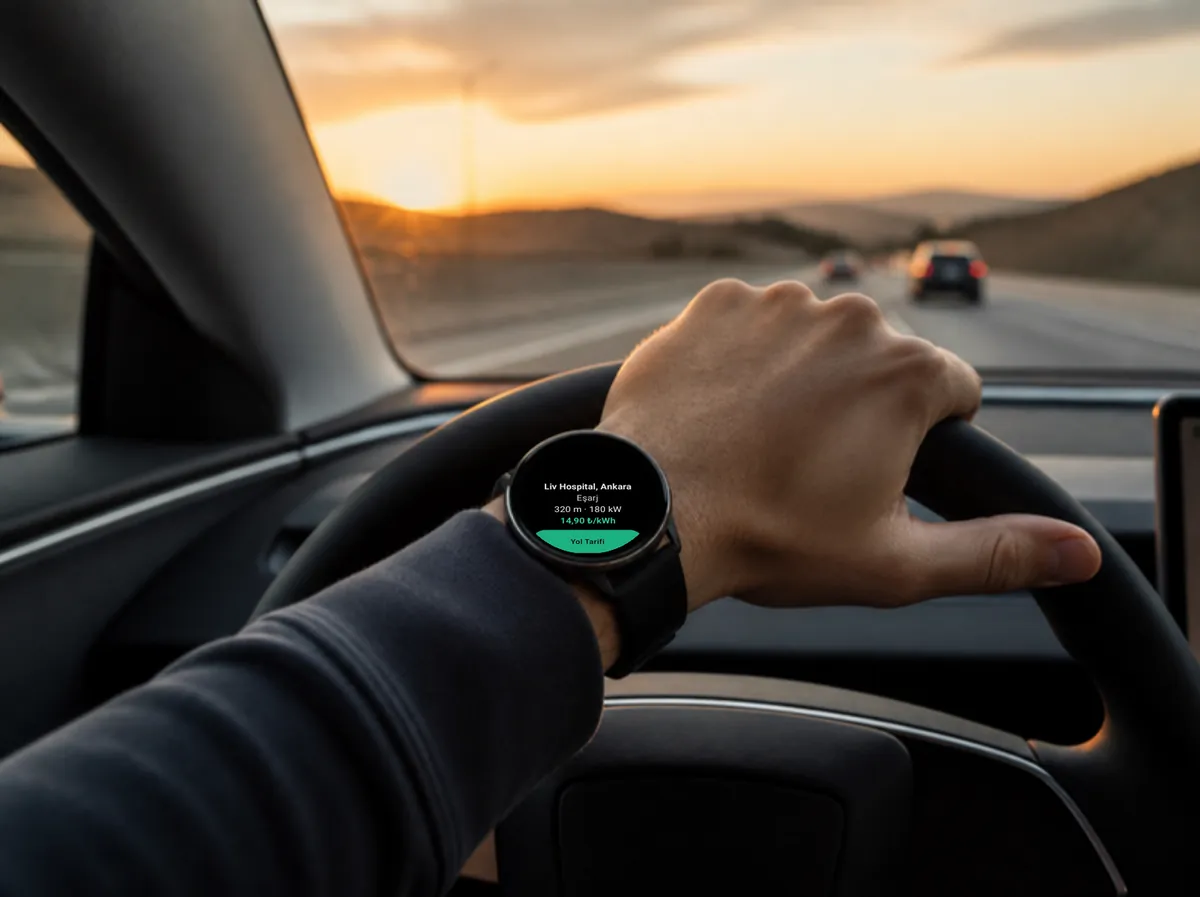
Distance, power and price at a glance. Directions start from your watch with one tap.
Three steps to a charger
- 1
Raise your wrist
The watch gets your location and lists fast (DC) chargers within 60 km, nearest first.
- 2
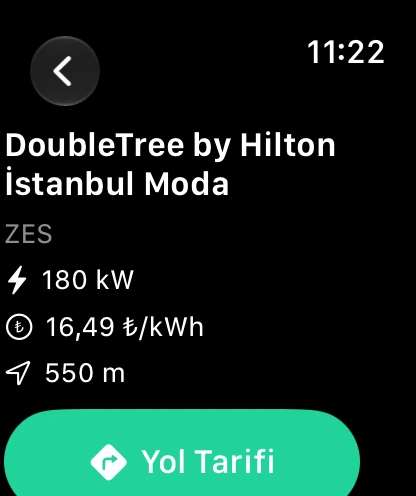
Tap and compare
Network, power and the current price per kWh on one screen; decide where to go in seconds.
- 3
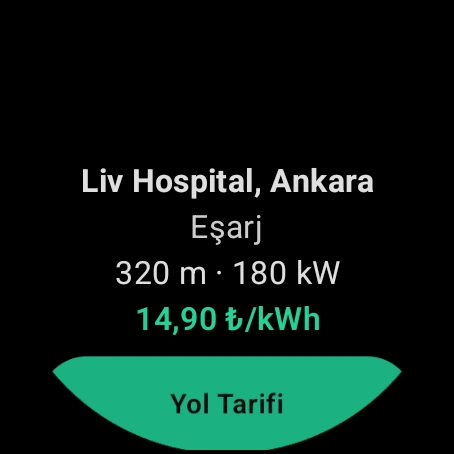
Hit the road
Tap "Directions" and the route starts in the watch's maps app: Apple Maps on Apple Watch, Google Maps on Wear OS.
09:41
Charging · to 80%
DoubleTree by Hilton İstanbul Moda
Keep an eye on charging from your wrist
Tap "Started Charging" at the station: the time left to 80% counts down in the Apple Watch Smart Stack. When the estimate is up, your watch taps you, on iPhone and Android alike. Enjoy your coffee.
Smart Stack countdown: watchOS 11 or later. The finish alert arrives when your phone forwards notifications to the watch.
Two watches, same speed
The same data and the same clean layout on square and round screens. Each watch is drawn in its own design language.
Apple Watch
- watchOS 10 or later
- Comes with the iPhone app
- Charging countdown in the Smart Stack
Wear OS
- Wear OS 3 or later
- Works independently of the phone
- Install from the Play Store on the watch
Small screen, full picture
The watch's own location
Location is used only to find nearby chargers; no account needed.
Fast charging only
The DC chargers that matter on the road: the 8 nearest within 60 km.
Current price
The network's price per kWh next to each station; pick the best deal at a glance.
Directions in one tap
The route opens straight in the watch's maps app, with turn-by-turn taps on your wrist.
Leave your phone in your pocket
The watch app fetches its own data; the Wear OS version even works without a phone.
Free, no ads
Like the phone app, the watch app is free; no ads, no account.
On iPhone
From the map to your route, from the charging log to the battery report, it's all in your pocket. On long trips your next stop sits on the lock screen.
- Live Activity on the lock screen: next stop, distance left, directions in one tap
- With Siri: "Nearest fast charger in Şarj Rehberim", "navigate to my favourite station", "log a charge"
- Home screen widget: the nearest and cheapest fast charging without opening the app
- Charging log entries filled from a photo of the receipt, monthly PDF report
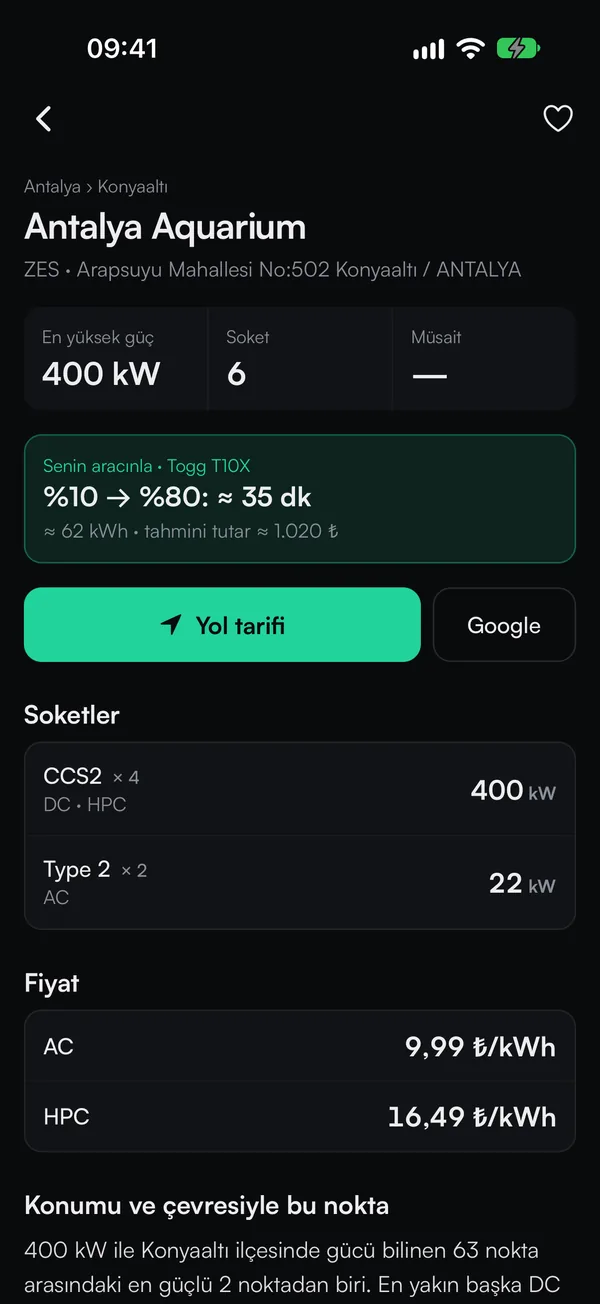
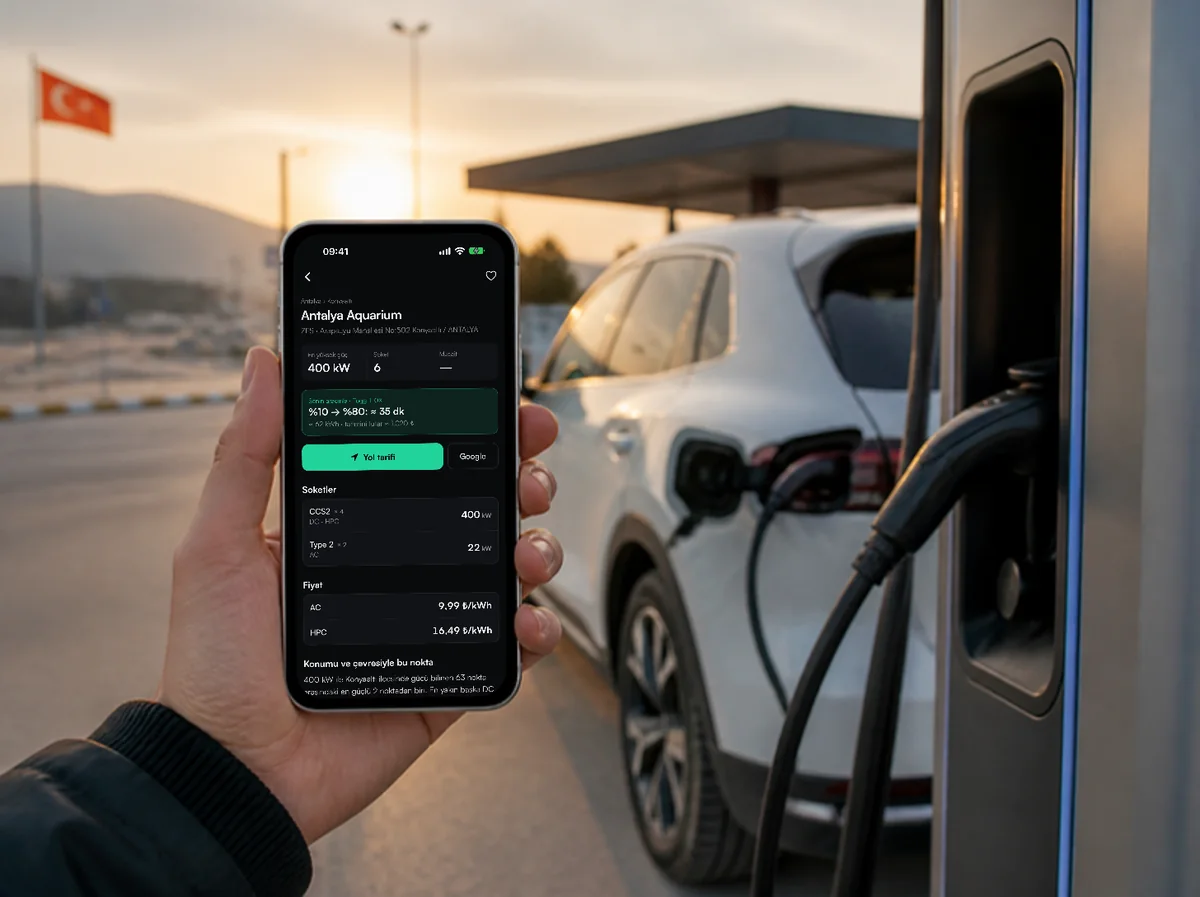
Sockets, power and price per kWh on one screen; time and estimated cost from 10% to 80% for your car.
A charger in three steps
- 1
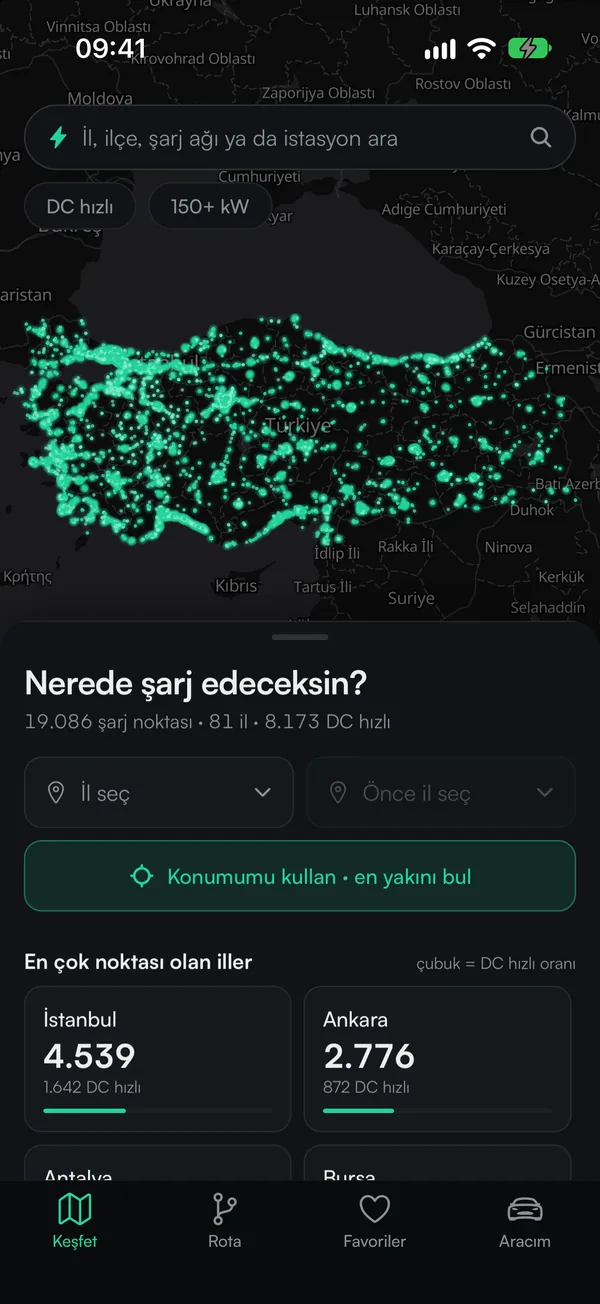
Explore the map
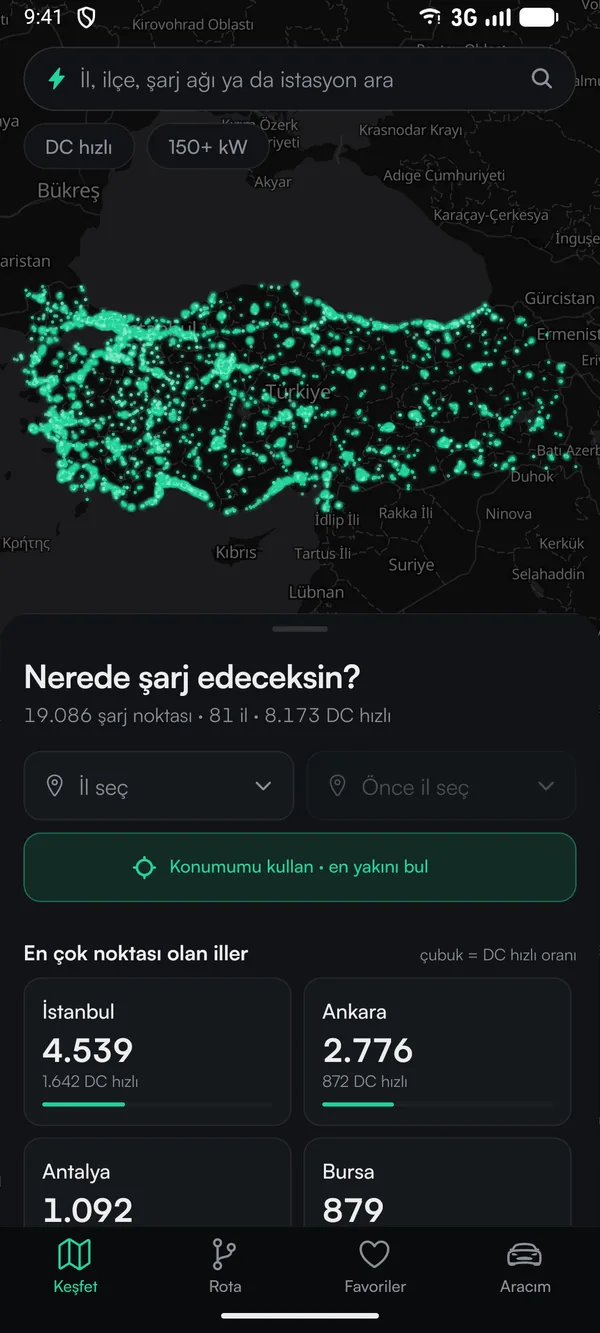
Every charging point in Türkiye on one map; DC fast and 150+ kW filters leave only the ones you need.
- 2
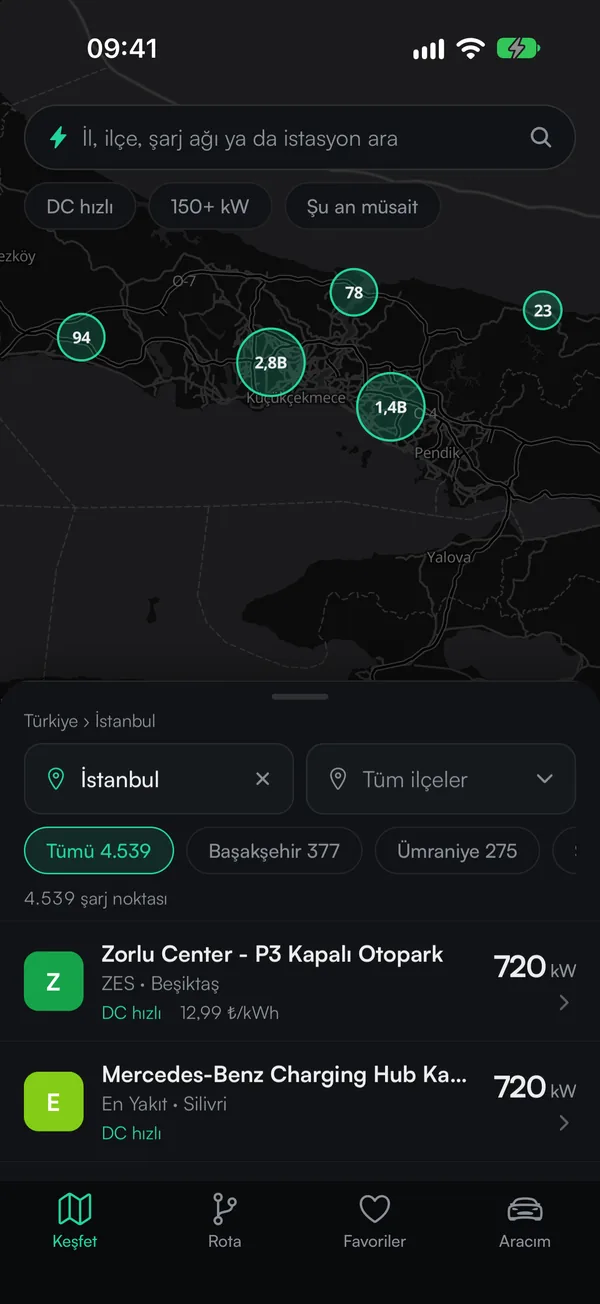
Pick your city
Choose a province and district; points are sorted by power and the "Available now" filter weeds out busy ones.
- 3
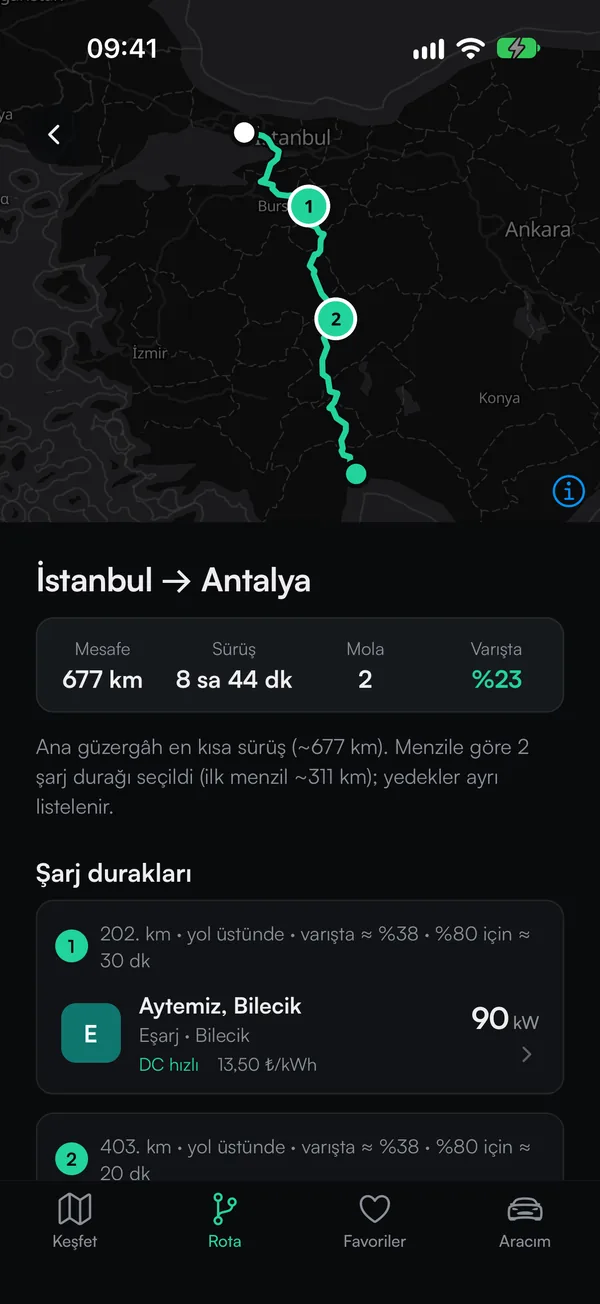
Plan your route
Enter from and to; stops, charging time and arrival battery are worked out for your car.
On the road and after
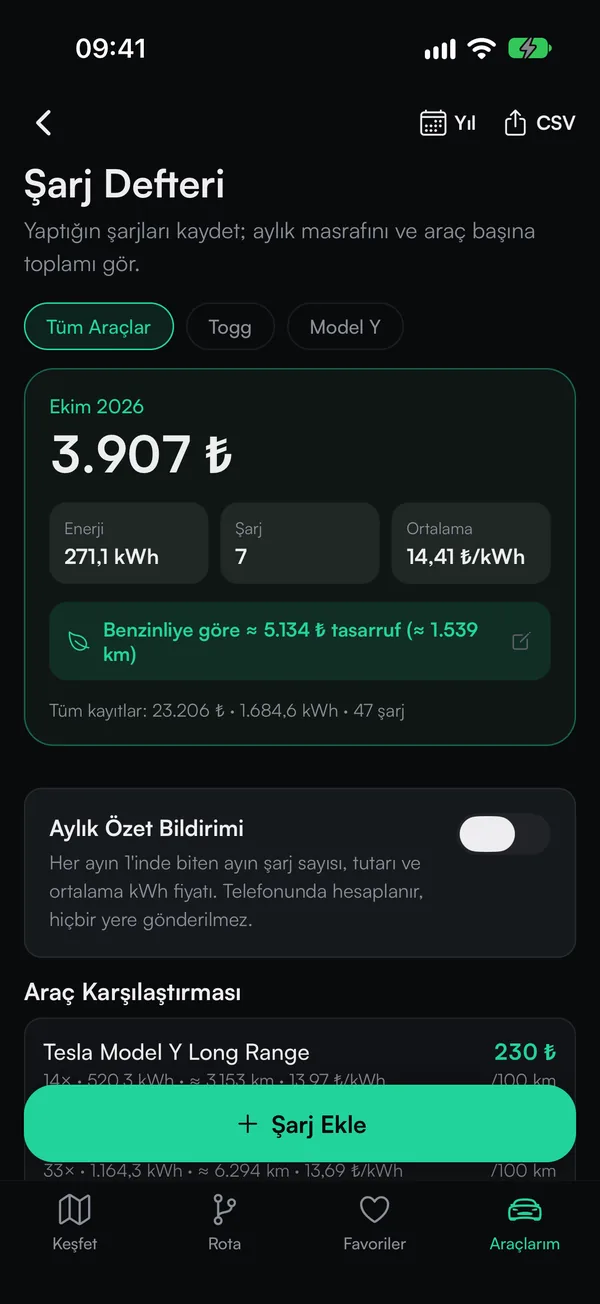
Charging log
Log every charge; monthly spend, kWh and savings versus a petrol car add up by themselves.
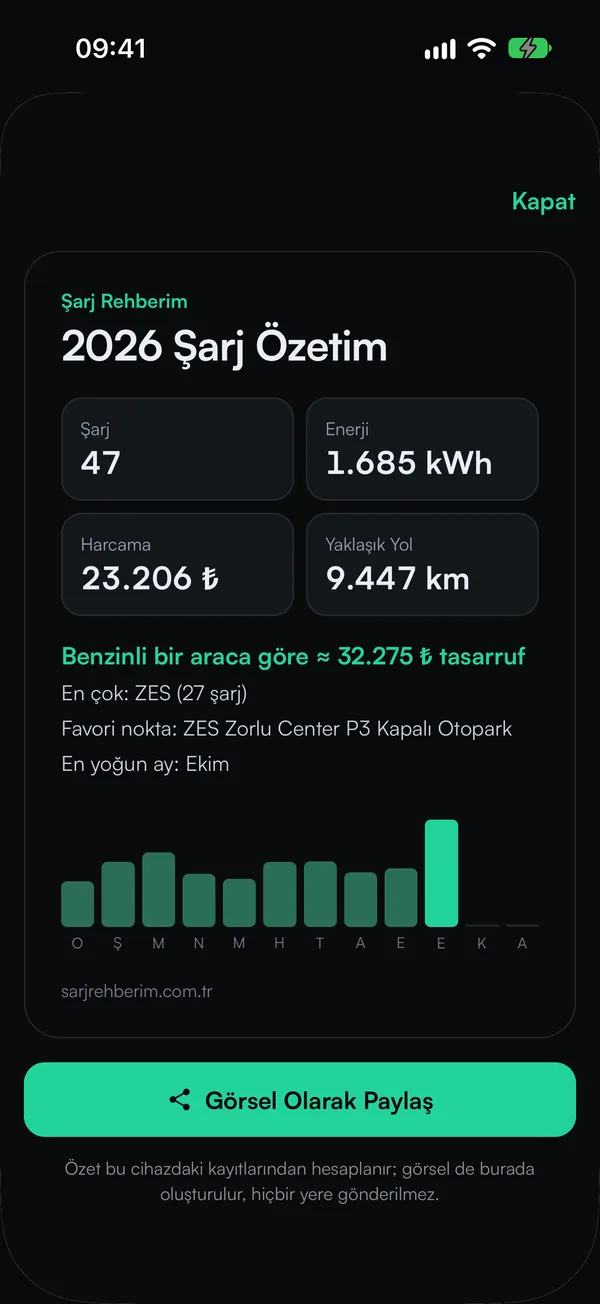
Year in review
The year's charges, energy, spend and distance; share it as an image in one tap.
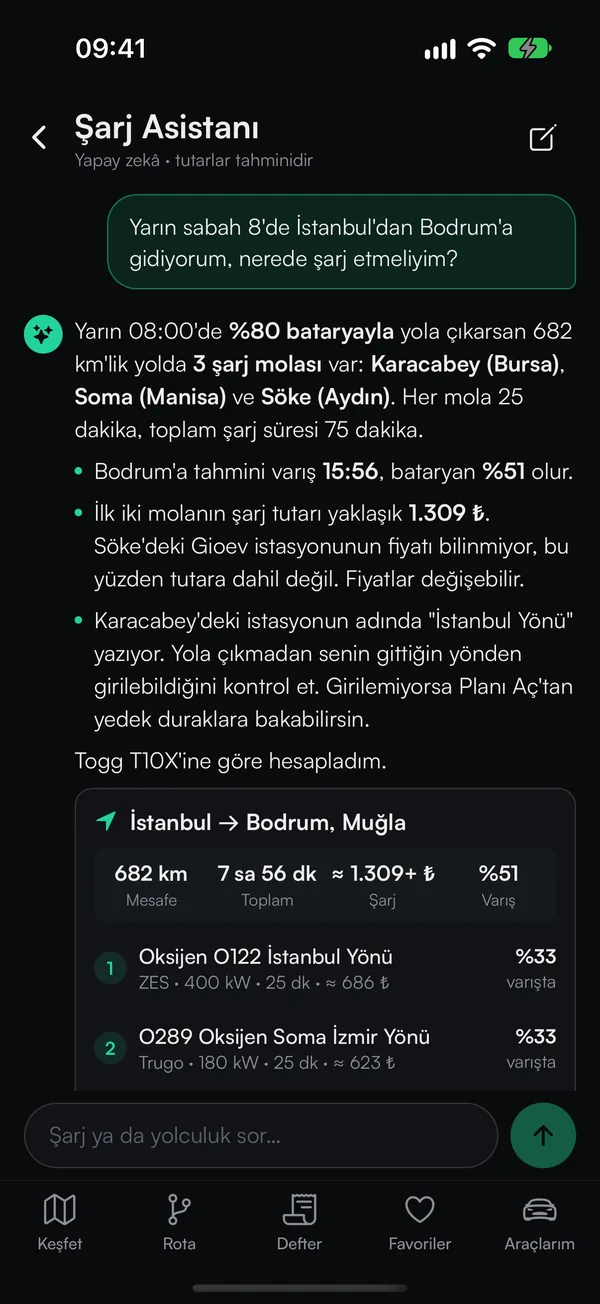
Charging Assistant
Describe your trip in your own words; stops, time and estimated cost come back in one answer.
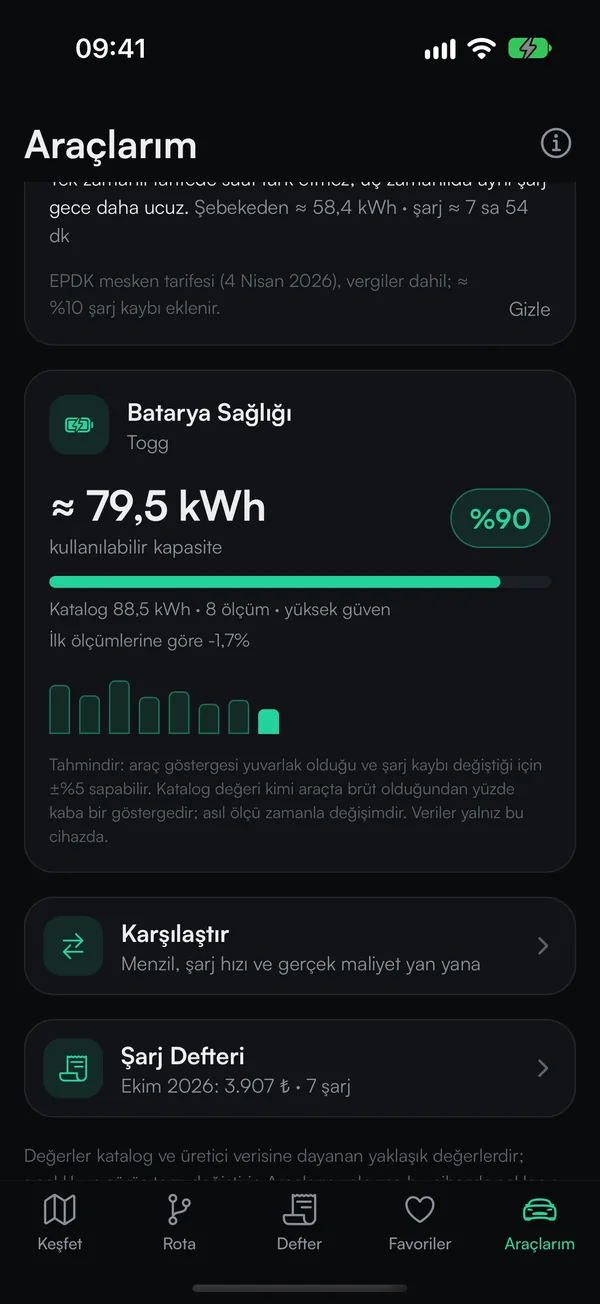
Battery health
Your charge records estimate the battery's usable capacity; see how it changes over time.
On Android phones
The same app with Android's strengths: three different home screen widgets, plus alerts when a new point opens in a province you follow or a favourite station changes its price.
- Widgets: nearest charging, a small quick glance and your monthly charging budget
- New point and price alerts (only for the provinces and stations you choose)
- In trip mode the next stop stays pinned in the notification; updates install from inside the app
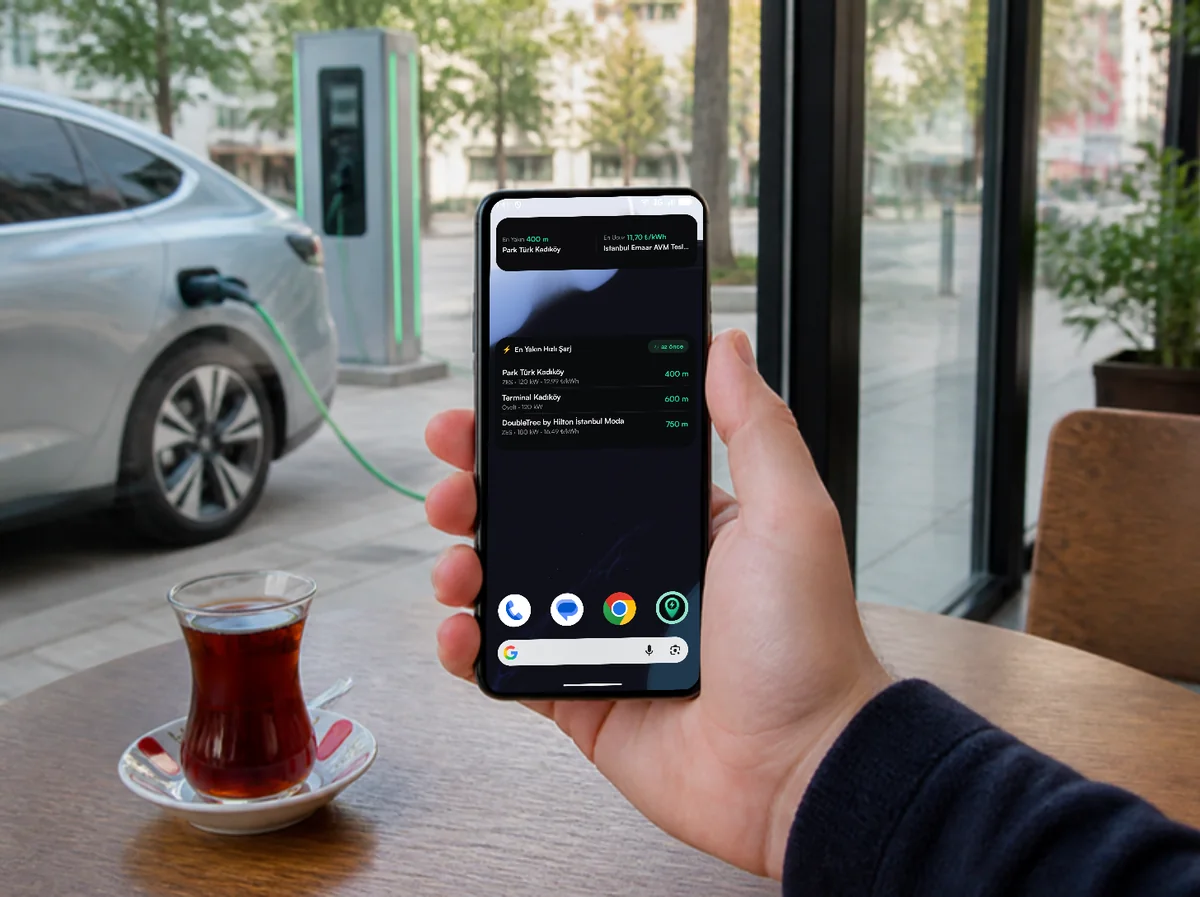
Widgets show the nearest and cheapest fast charging; decide before your tea is finished, without opening the app.
Search, open, go
- 1
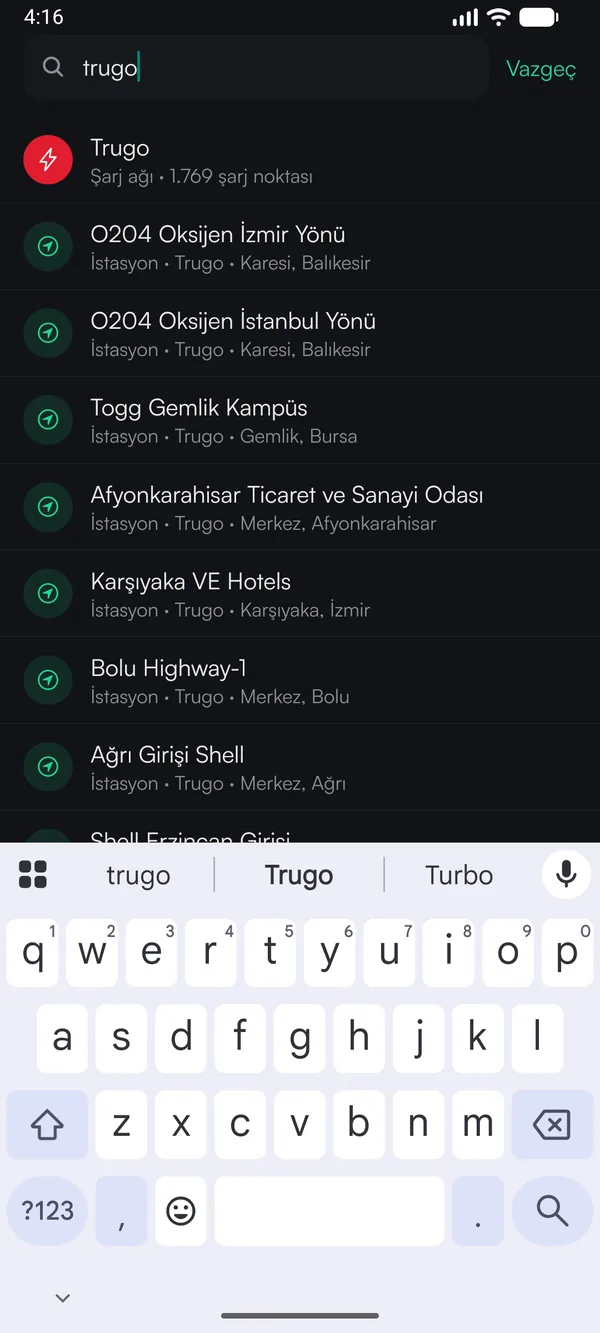
Search by network or place
Type a network, province, district or station name; results appear as you type.
- 2
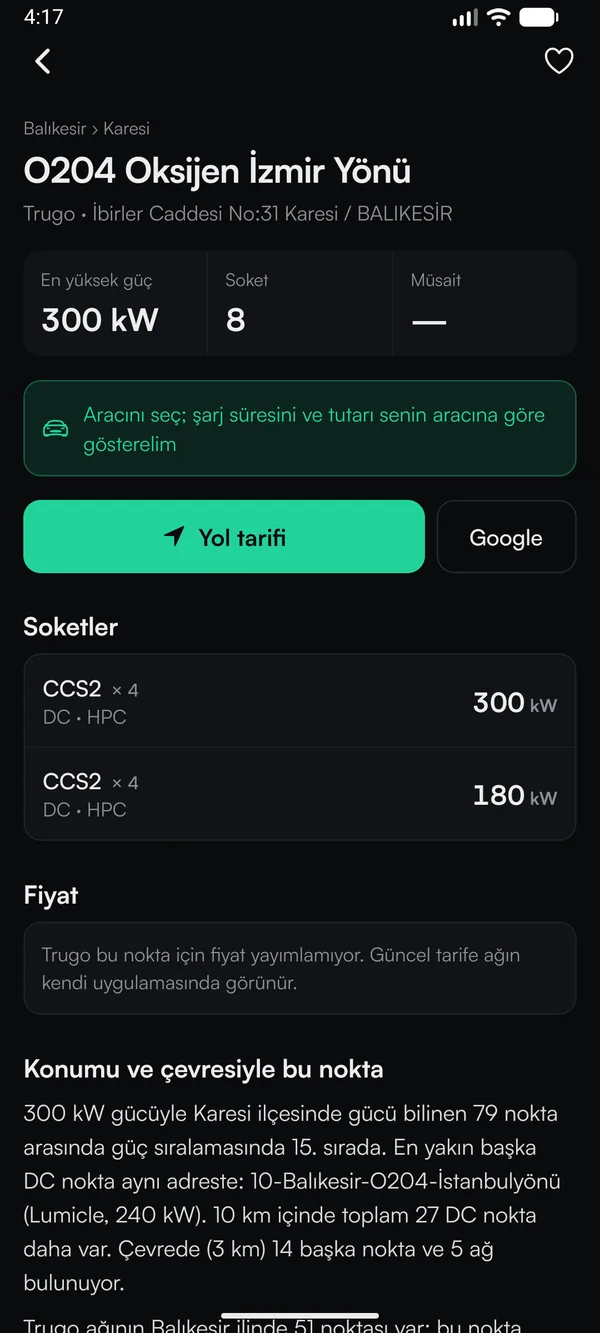
Check the details
Top power, number of sockets and charging time for your car; directions in one tap.
- 3
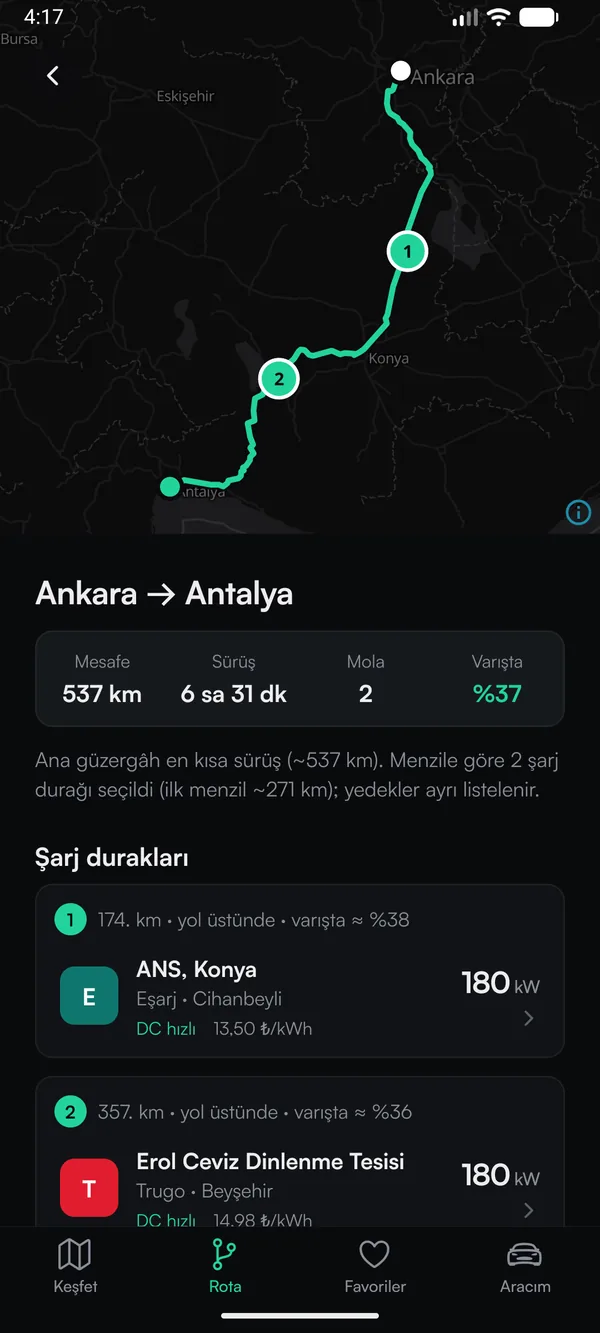
Get the route
Stops are chosen from DC stations that suit your car; number of breaks and arrival battery included.
On the road and after
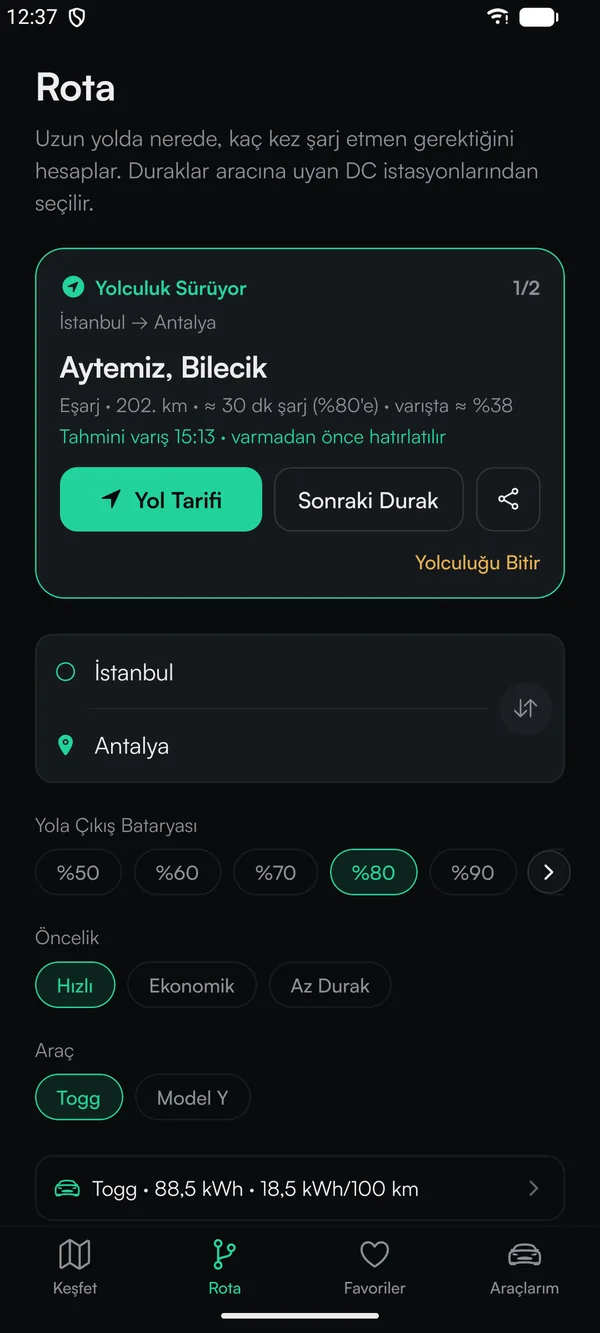
Trip mode
Your next stop on top; Directions and Next Stop in one tap.
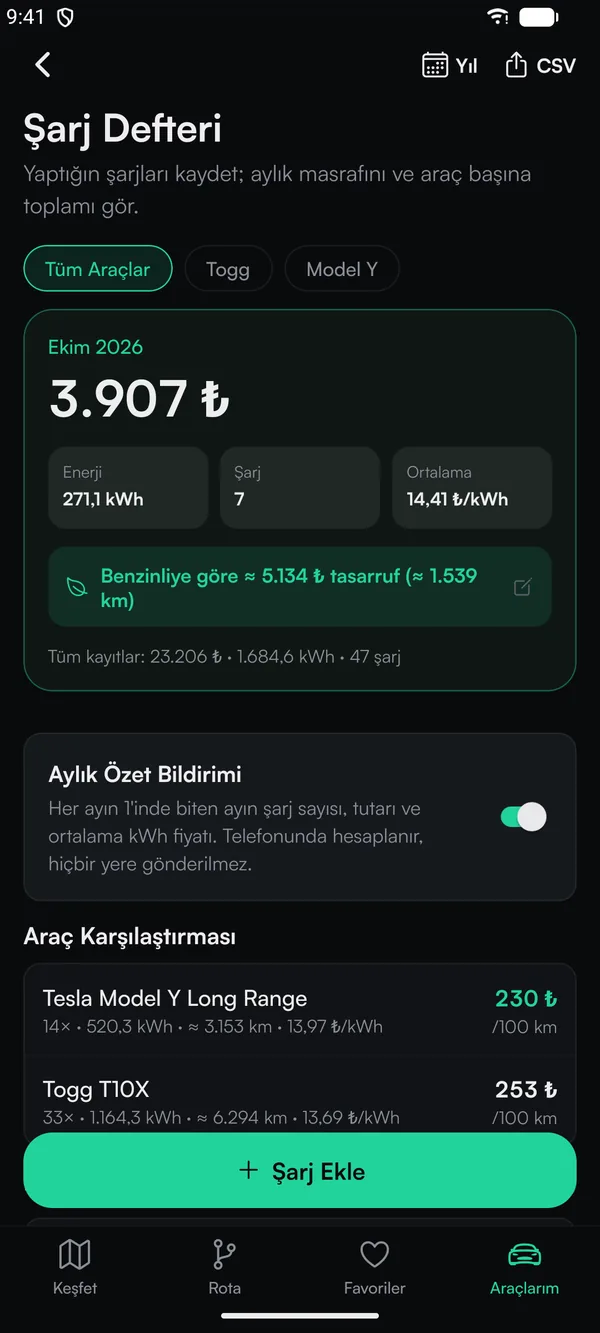
Charging log
Log every charge; monthly spend, kWh and savings versus a petrol car add up by themselves.
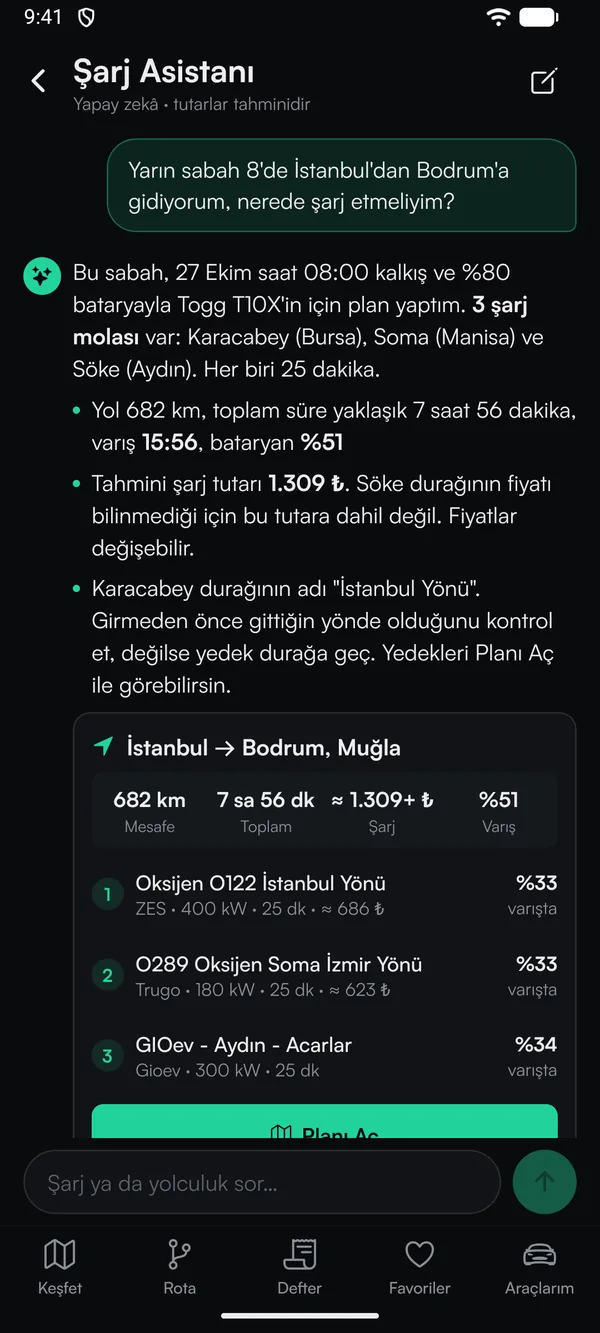
Charging Assistant
Describe your trip in your own words; stops, time and estimated cost come back in one answer.
On tablets
On the big screen the map uses the full width; lists, station pages and the route plan sit in a comfortable centred column. The layout adapts to portrait and landscape.
- Full screen on iPad and Android tablets; the same App Store and Google Play link
- See the route plan and car comparison at a glance on the wide screen
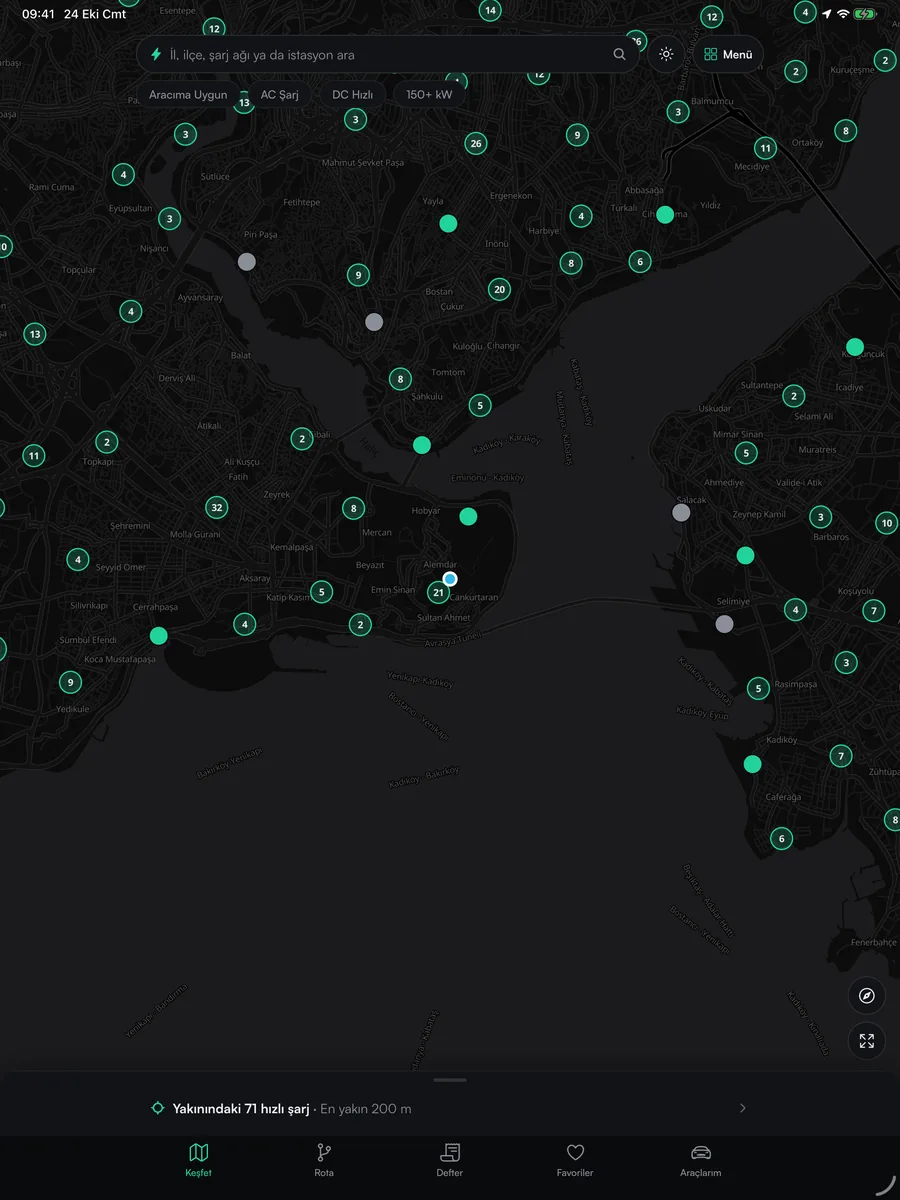
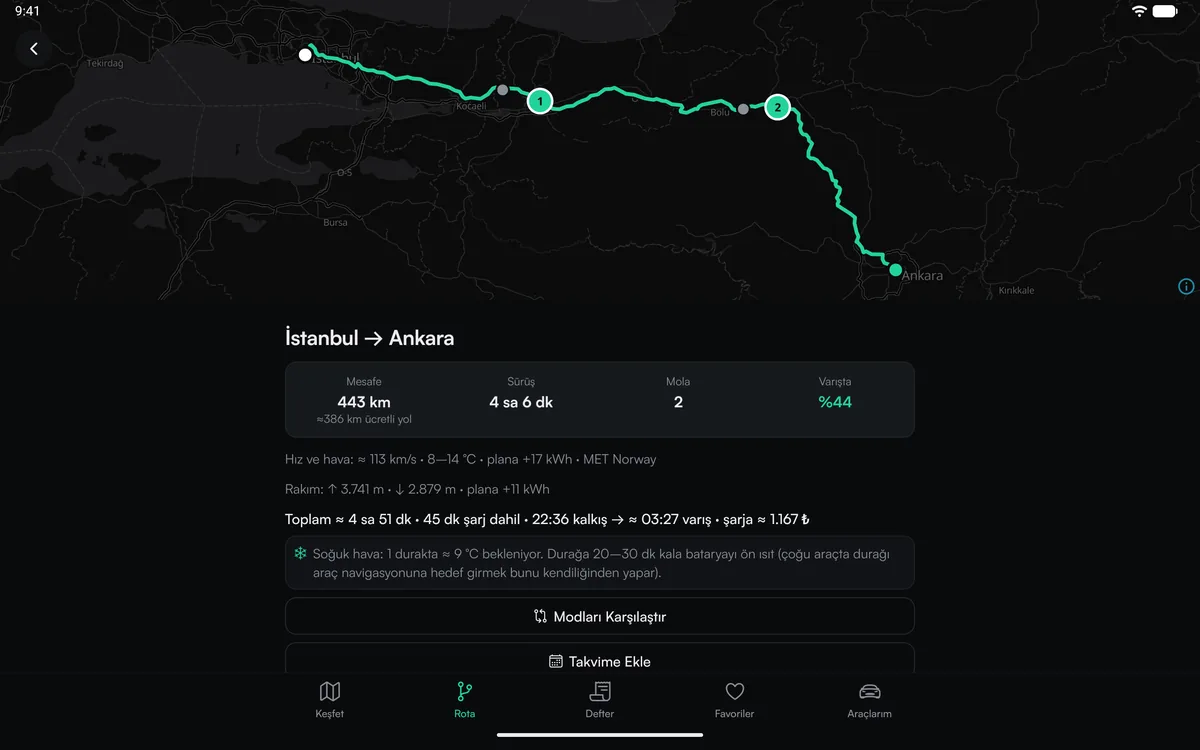
Plan on a wide screen
- 1
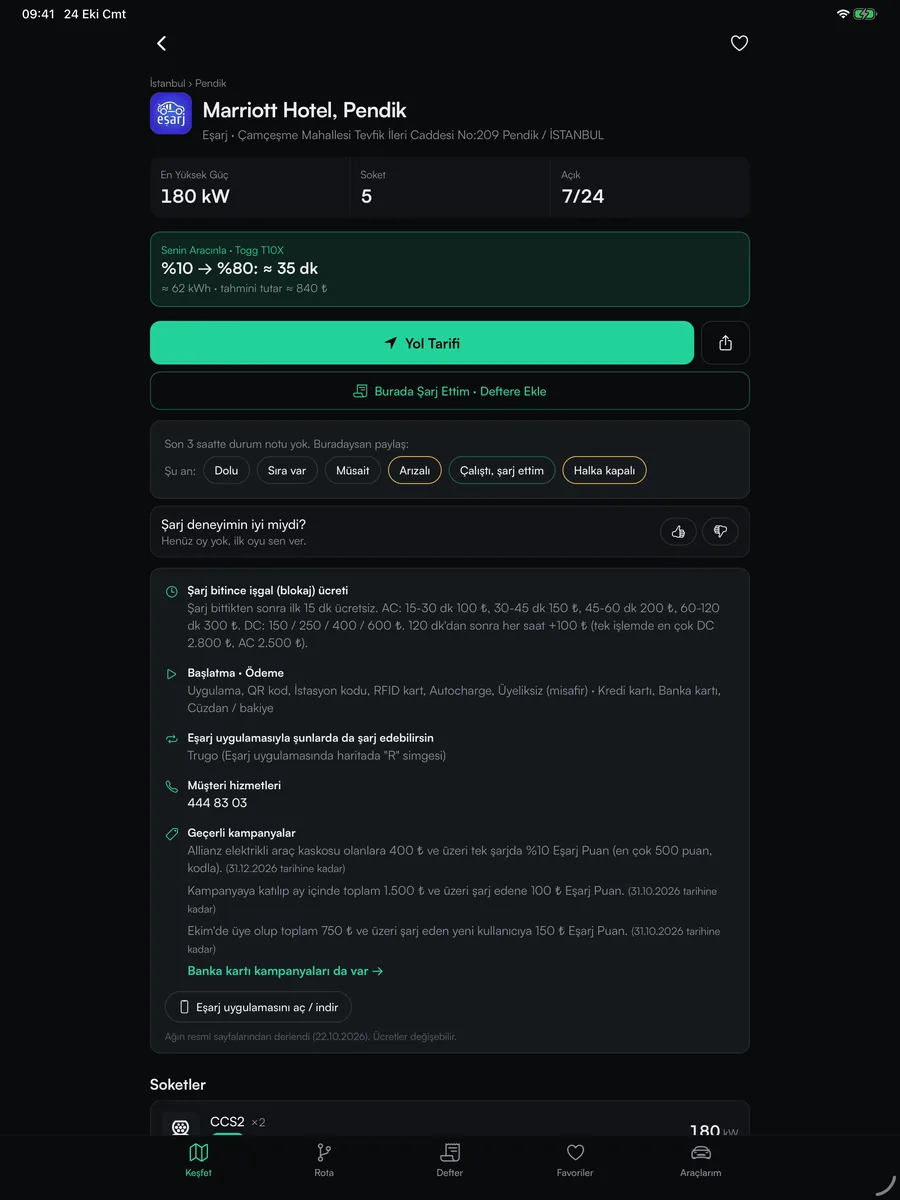
Station page
Power, sockets and time for your car; add it to your log in one tap with "I charged here".
- 2
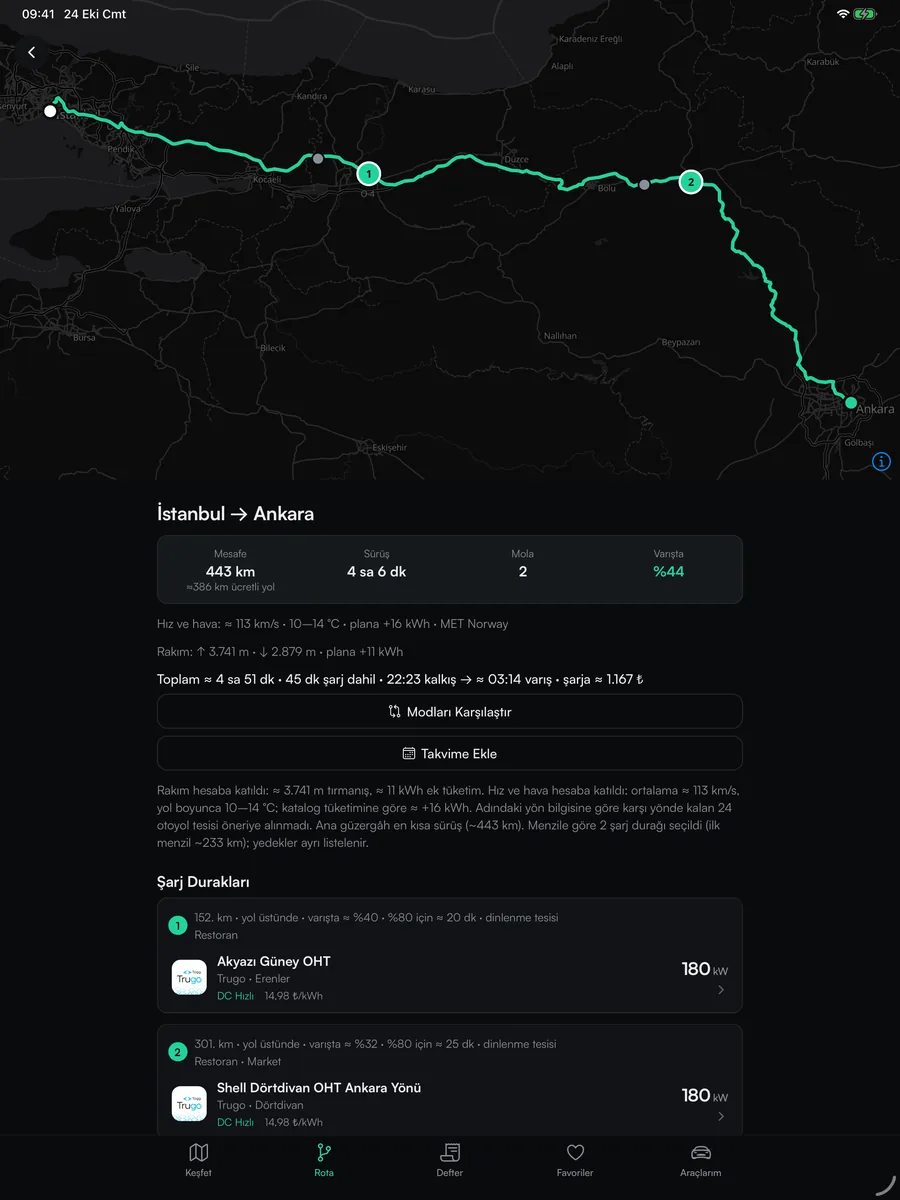
Route plan
Map on top, stops and arrival battery below; the whole trip at a glance.
- 3
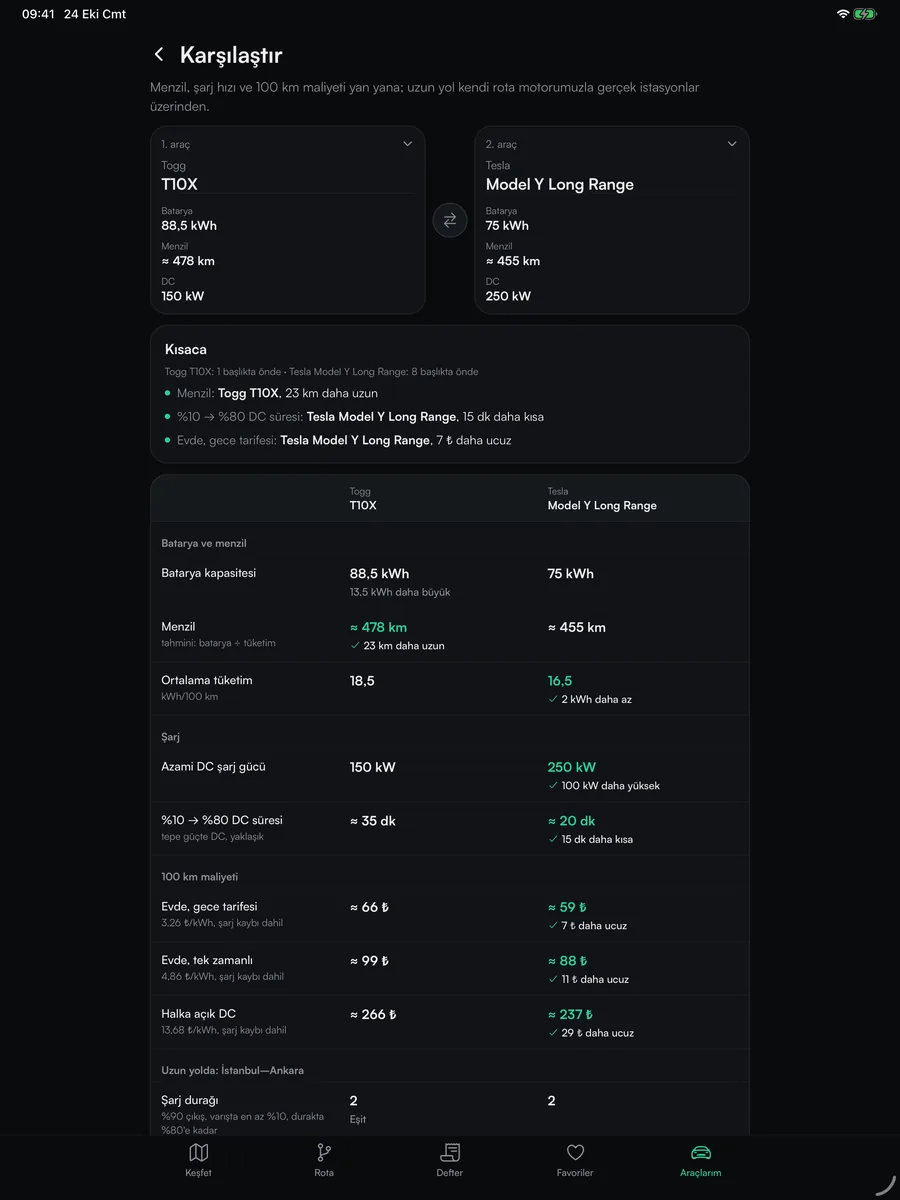
Compare cars
Put two cars' range, charging speed and cost per 100 km side by side.
The same on Android tablets
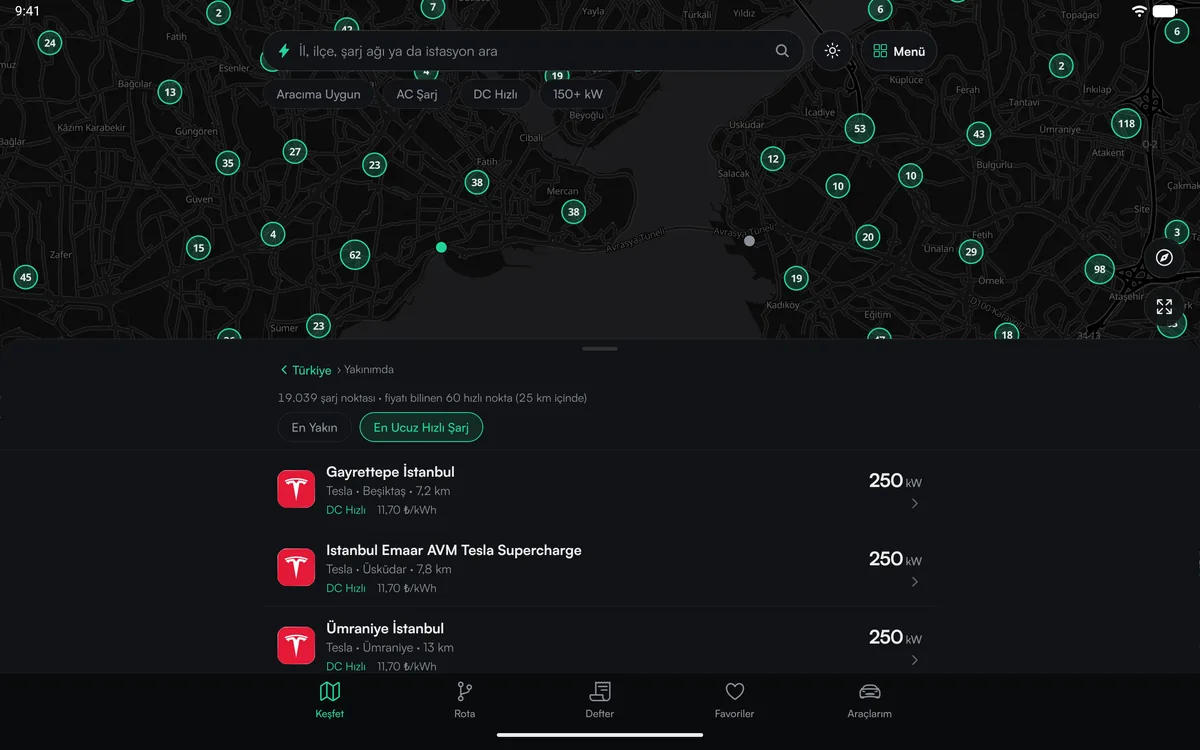
Cheapest fast charging
Nearby fast chargers sorted by price; map on top, list below.
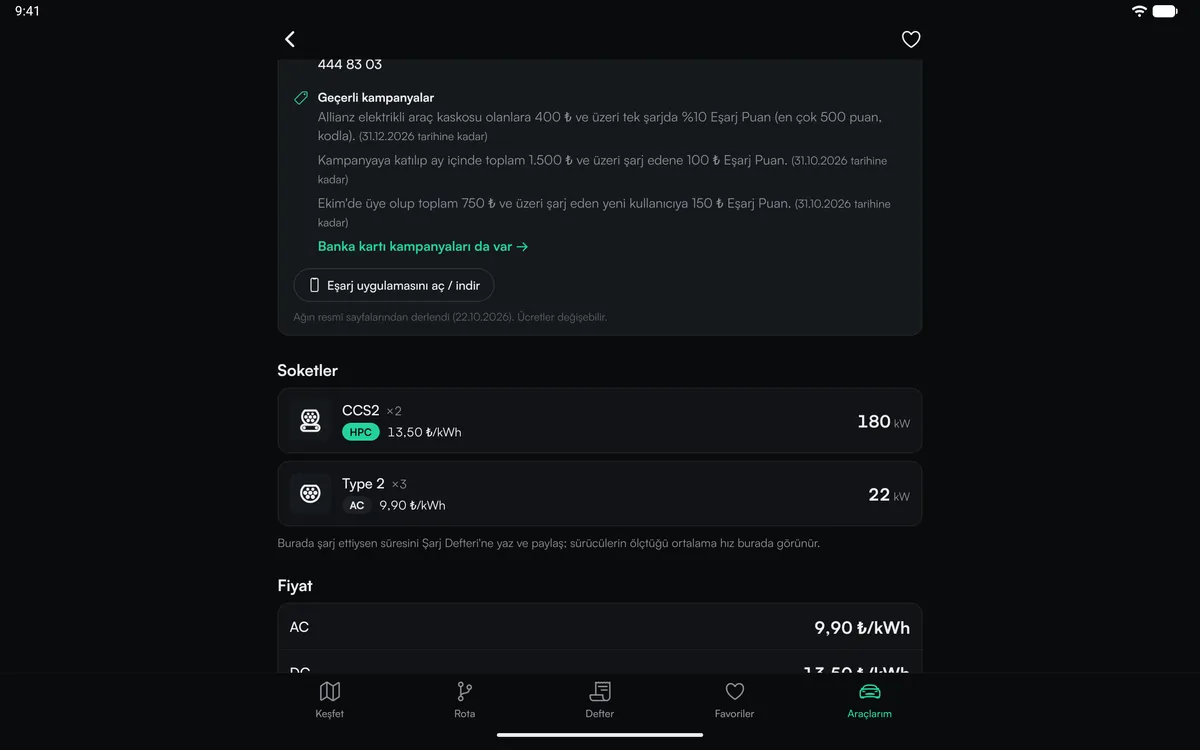
Sockets and price
CCS2 and Type 2 sockets, their power and AC/DC price per kWh.
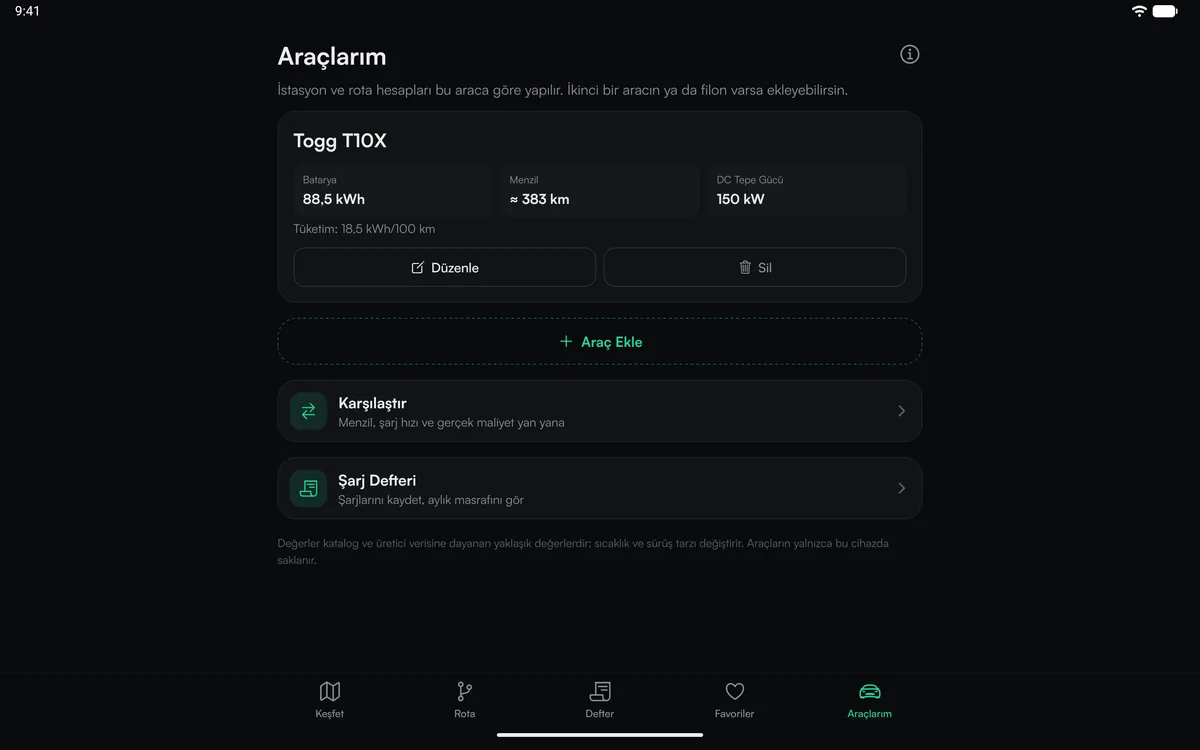
My cars
Add your car; time and cost are calculated for it, with comparison and the log one tap away.
On the Mac
On Macs with Apple silicon (M1 and later) the same app installs from the Mac App Store. Plan the trip at your desk, resize the window as you like; works with keyboard and mouse.
- Mac compatibility verified; macOS 12 or later
- Listed under "iPhone & iPad Apps" in the Mac App Store; free
- On Intel Macs and Windows the map and route planner open in the browser
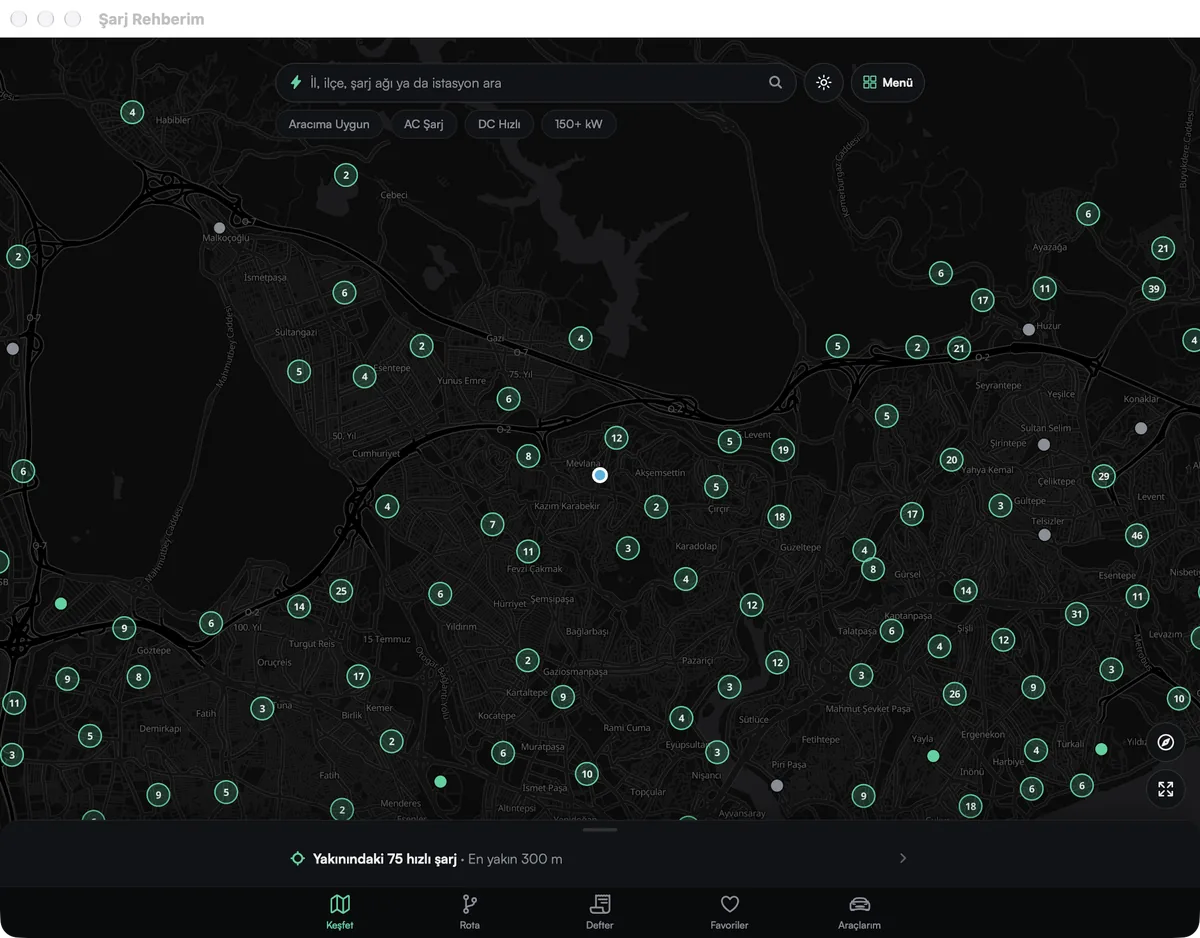
Plan at your desk, use it on the road
- 1
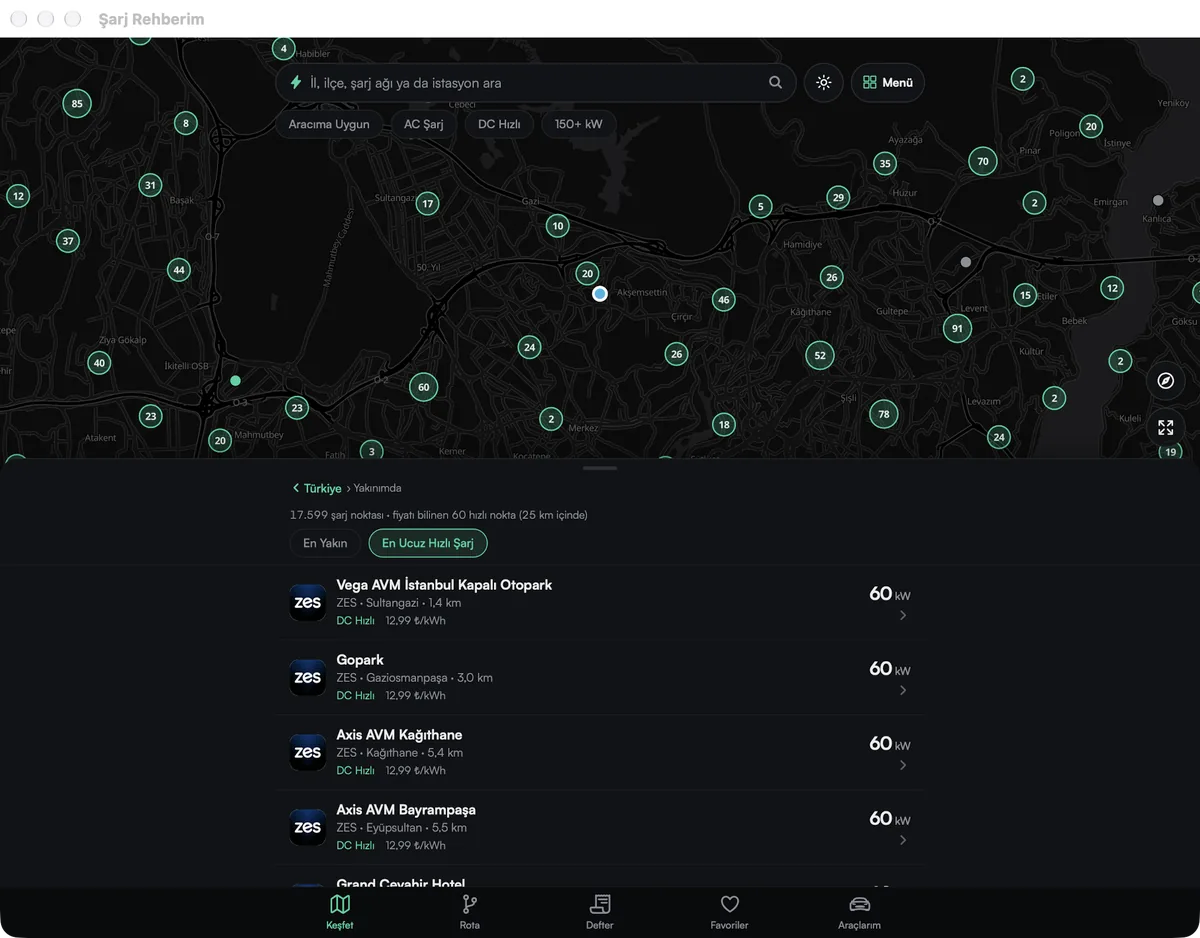
Cheapest fast charging
Nearby DC points sorted by price per kWh; network, power and distance on the same line.
- 2
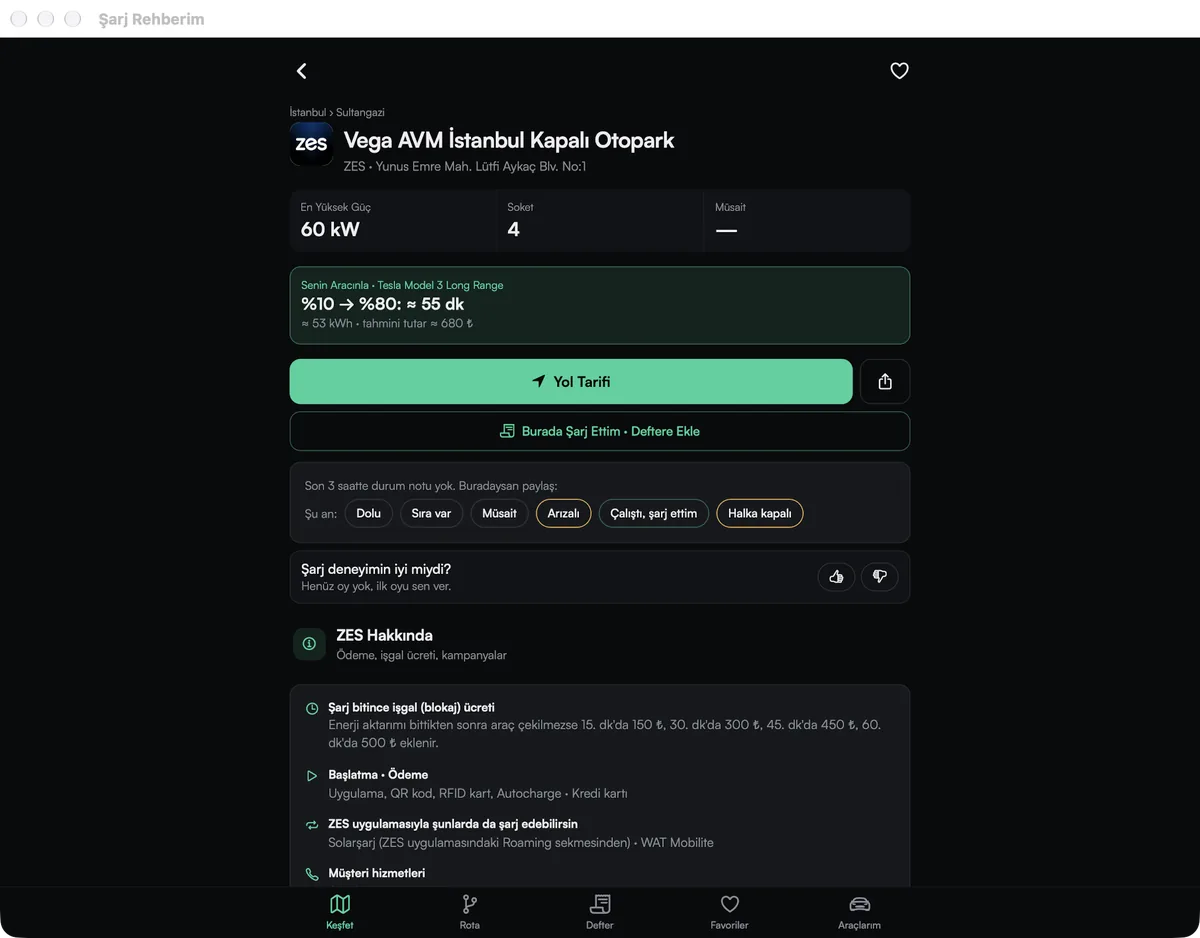
Station details
10%→80% time and cost for your car; the network's payment and fee details on the same page.
- 3
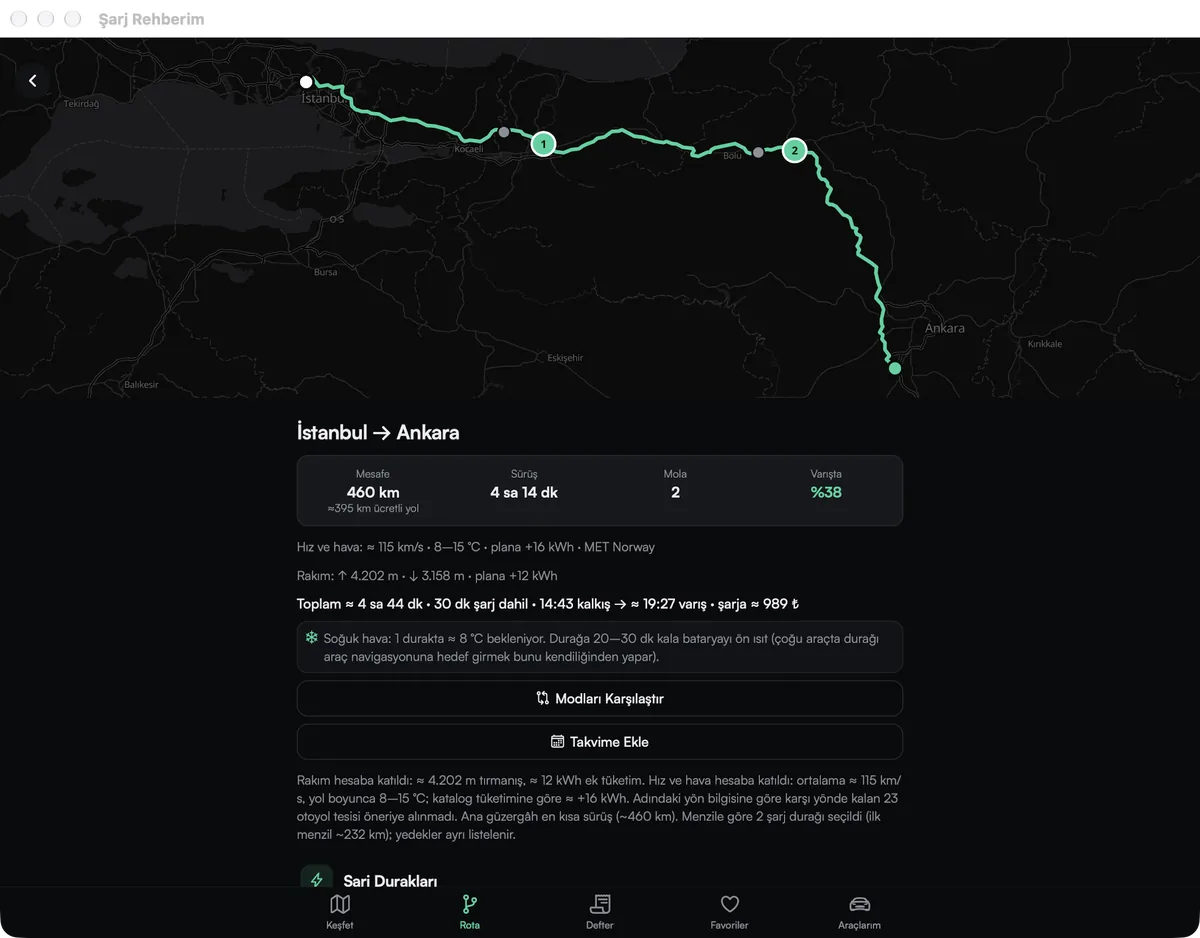
Route plan
Consumption adjusted for speed, weather and elevation; stops, total time and arrival battery.
In a big window
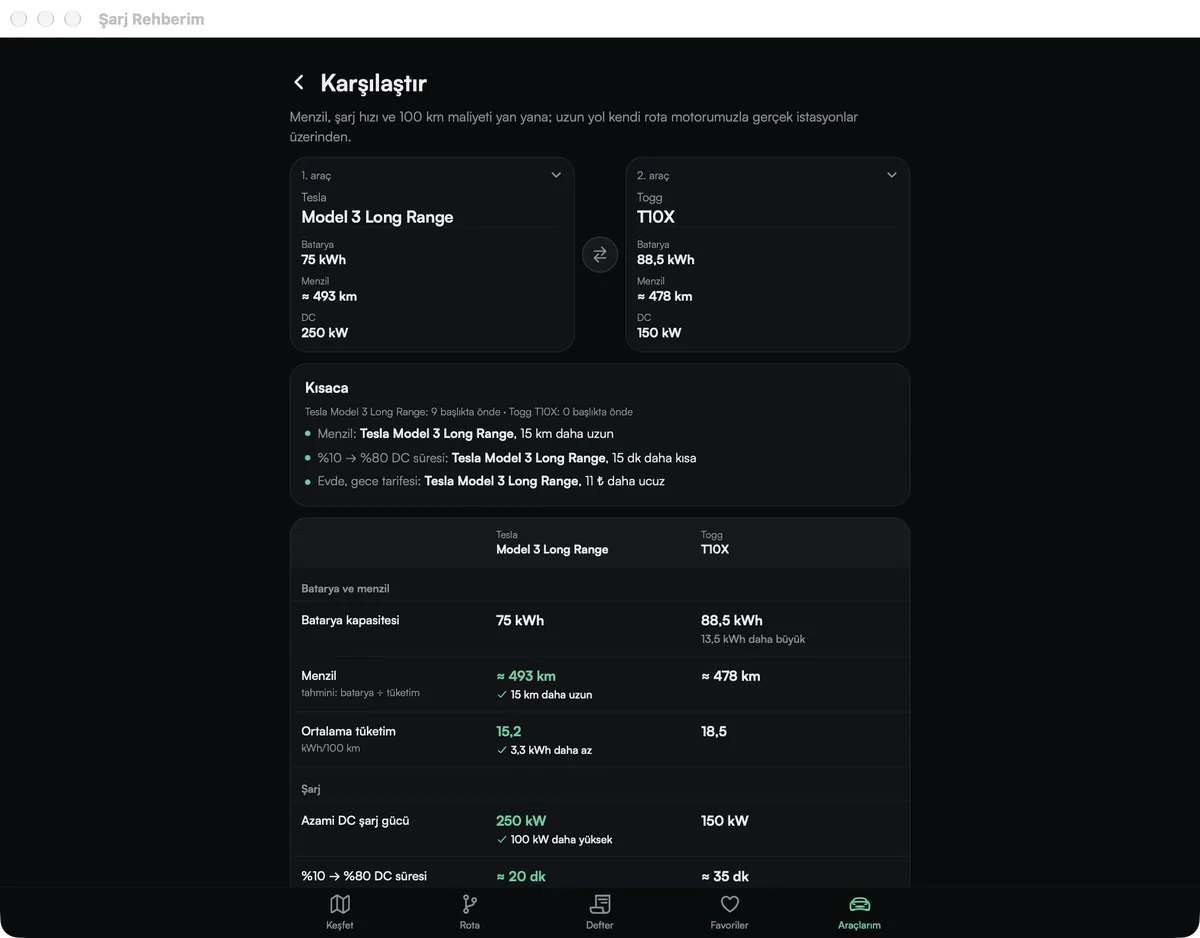
Car comparison
Range, charging speed and cost side by side; the "In short" box tells you which one leads.
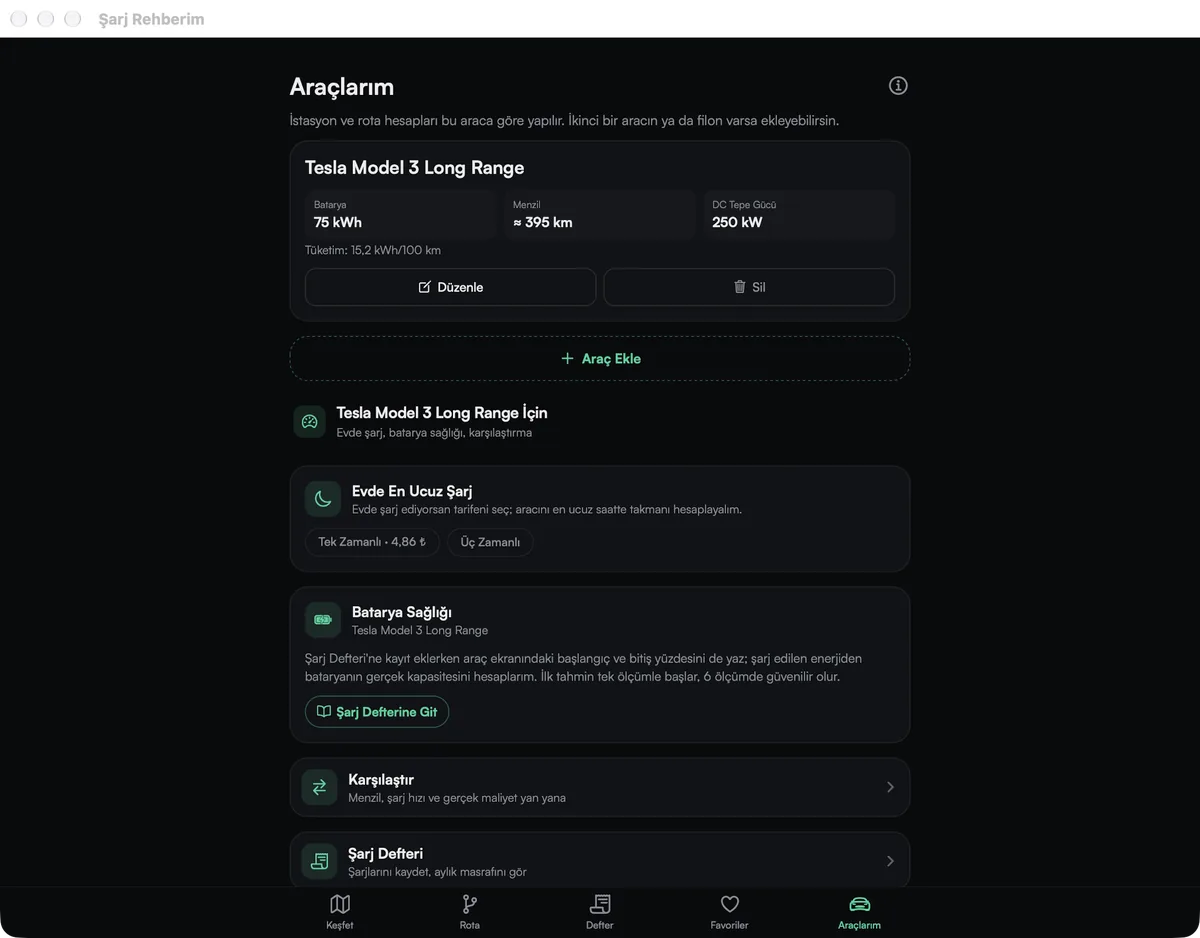
My cars
The cheapest time to charge at home, battery health and the charging log on one page.
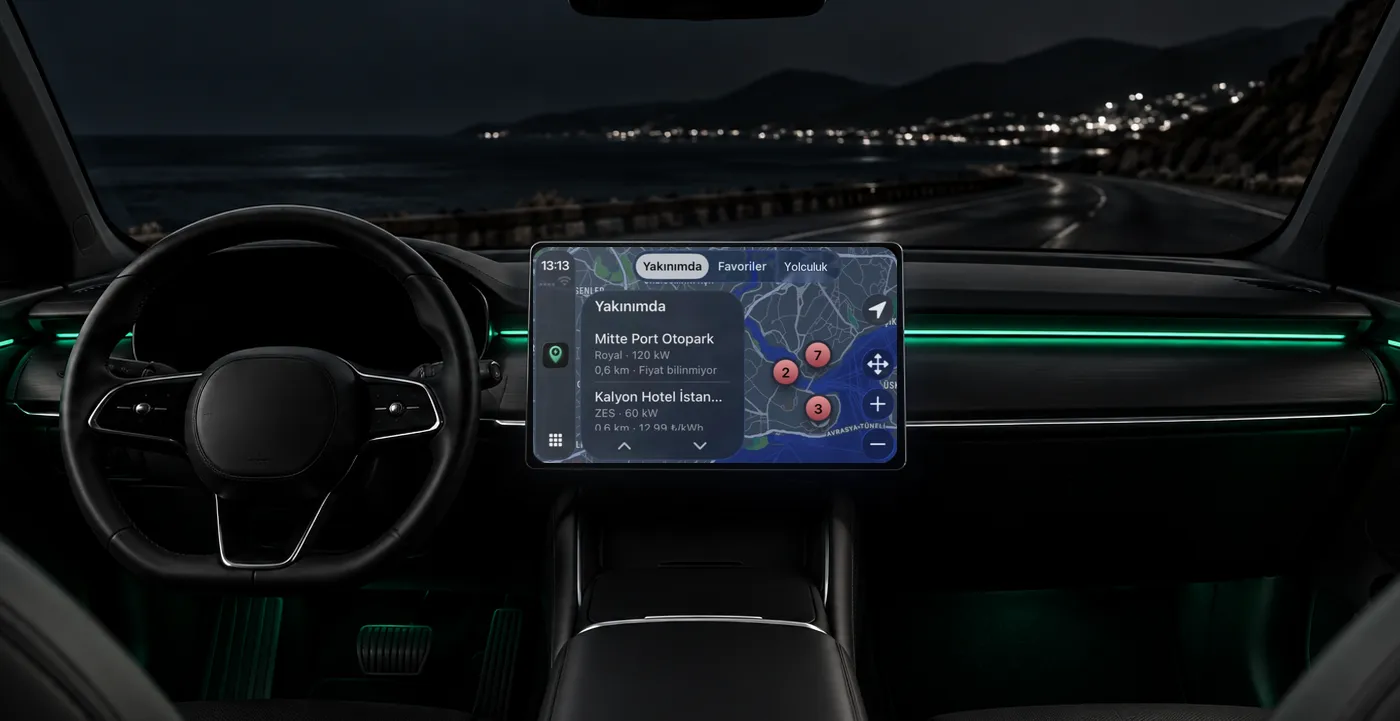
In the car
Connect your phone and Şarj Rehberim opens on the car's screen. Nearby stations, your favourites and your trip, big, simple and readable while driving; directions in one tap.
- CarPlay: Nearby, Favourites and Trip tabs; each station's power and price
- Your planned charging stops in the Trip tab; a big, simple layout made for driving
- Android Auto support is on its way; it will be announced here when it's live
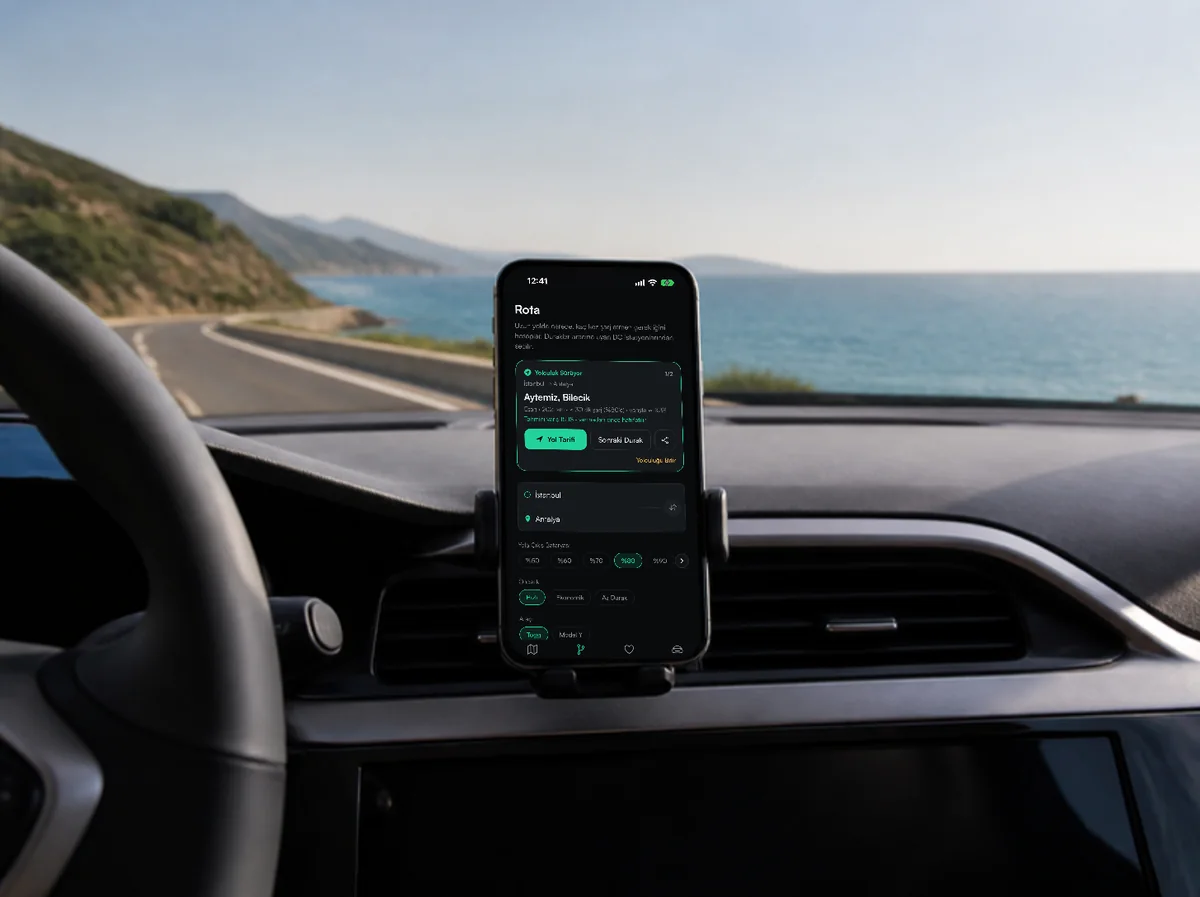
Start the route; your next charging stop and Directions are always ready on your phone, even on the coast road.
From your phone to the car screen
- 1
Plan on your phone
Create the route; the charging stops in your plan show up in the car's Trip tab.
- 2
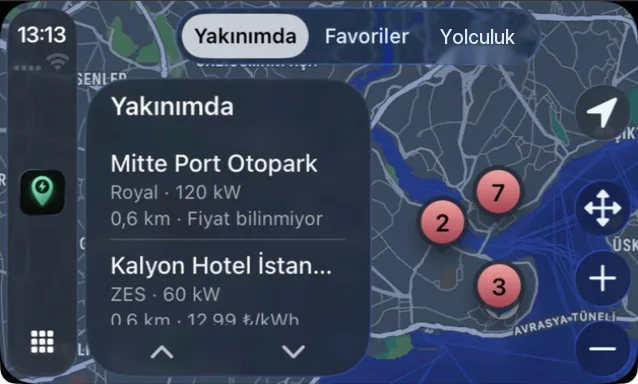
Open it on CarPlay
Connect your phone; the Nearby list and map on the car's screen, big and simple.
- 3Coming soon
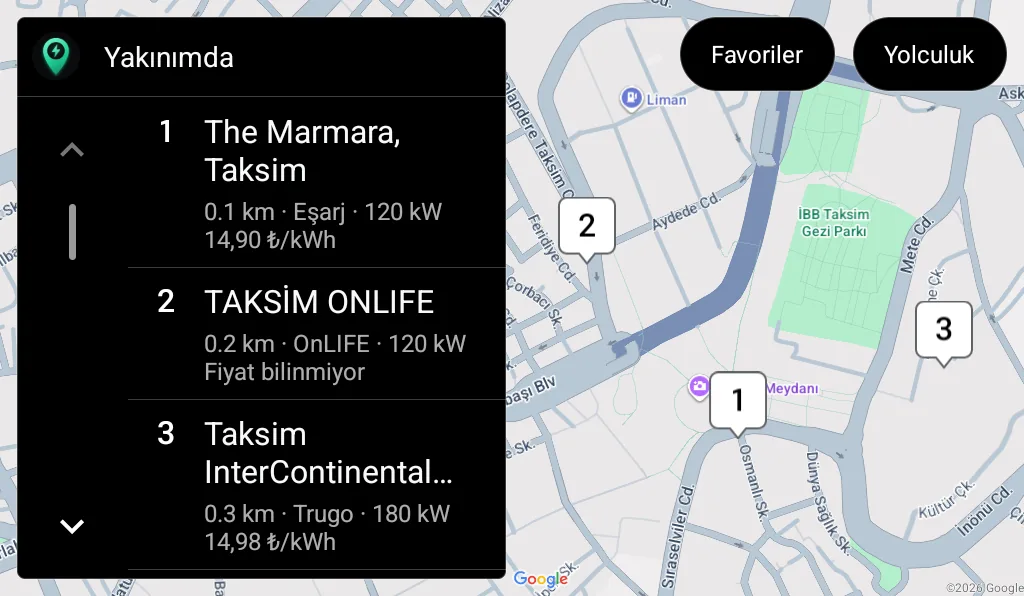
On Android Auto too
The Android Auto version is on its way: nearby stations in a numbered list and on the map, with prices.
The same power on every screen
The heart of the app is the same on every platform; your data stays on your device and moves between devices with a backup file.
Every charging point
More than 17,500 points; 81 provinces, every district and 170+ networks on one map.
Route planner
Stops, charging time and arrival battery adjusted for weather and elevation.
Charging Assistant
Describe your trip; stops, time and cost in one answer.
Cheapest fast charging
Current kWh prices of 12 networks; time and cost for your car.
Charging log
Monthly spend, kWh and savings versus a petrol car.
Battery report
Capacity estimate from your charges; share it with one link.
Free. No account. No ads.
Your cars, charging log and favourites are stored only on your device. Your location is used on your device only to find nearby stations.
Frequently asked
Is the Şarj Rehberim app paid?
No. The app is free on every platform; you don't need an account and there are no ads in the app.
How do I install it on a Mac?
On a Mac with Apple silicon (M1 or later), open the Mac App Store, search for "Şarj Rehberim" and install it from the "iPhone & iPad Apps" tab. The app can't be installed on Intel Macs; the map and route planner work in the browser.
How do I open it on CarPlay?
With Şarj Rehberim installed on your iPhone, connect the phone to the car by cable or wirelessly; the app's icon appears on the CarPlay home screen. If it doesn't, add it under Settings > General > CarPlay > your car > Customise on the iPhone.
When is Android Auto coming?
Android Auto support is being prepared. Once it passes Google's review and goes live, it will be announced on this page and in the app's "What's New".
Can I move my data from one device to another?
Yes. Since there's no account, your data stays on the device; with the backup file in My Cars you can move your cars, charging log and favourites to another phone, a tablet or the website.
Can I use it on a Windows PC?
Yes, in the browser. On sarjrehberim.com.tr the map, route planner, prices, charging log and car comparison work without installing anything.